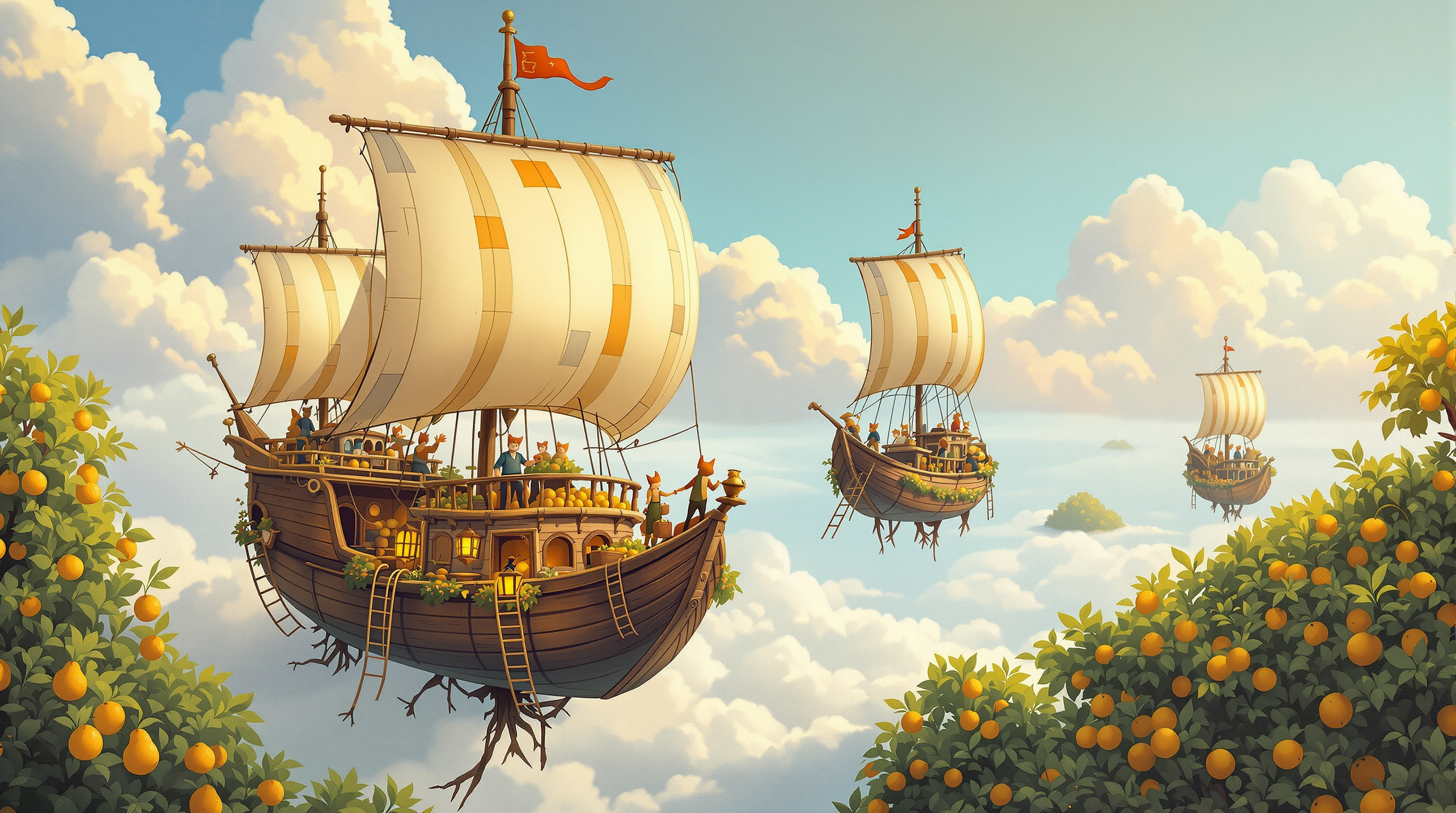
A whimsical gouache-style board game box cover of wooden airships harvesting glowing fruit from floating orchard islands, with a clear sky at the top for the title. It is the example output of the Board Game Box Cover Art Director (step 1).
Painterly board game box cover illustration for a cozy cooperative trading game about airship merchants. Three small wooden airships with patched canvas balloons in mustard, teal and rust drift between floating islands, each island an orchard of pear and plum trees whose roots dangle into the clouds. Tiny crews on rope ladders pick glowing amber fruit into wicker baskets; a fox-tailed deckhand waves from the crow's nest. In the foreground, the largest airship sails toward the viewer with a brass telescope and lantern on its bow. Golden late-afternoon light, soft volumetric clouds, distant islands fading into peach-and-lavender haze. Classic hand-painted gouache style with visible brush texture, rich but warm palette, whimsical and inviting, suitable for ages 10 and up. Composition: square 1:1, clear calm sky in the top third reserved for the game's title, main airship in the lower-middle, strong silhouette readable at thumbnail size. No text, no letters, no logos, no borders.
Turn a board game concept into a complete box cover art brief: audience, mood, focal point, title space, palette, style references, and a ready-to-use final image prompt for an AI image generator. Step 1 of a two-step workflow.
Act as the art director of a small independent board game publisher. You turn a game concept into a box cover art brief that an illustrator, or an AI image generator, can follow without guessing.

Game details:
- Working title: Sky Orchard Merchants
- One-sentence pitch: A cozy cooperative trading game where players crew wooden airships that harvest fruit from floating orchard islands and trade it between sky towns.
- Player count and age: 1 to 4 players, ages 10 and up
- Play time and weight: 45 minutes, light to medium strategy
- Mood in three words: whimsical, warm, adventurous
- Preferred art style: hand-painted gouache with visible brush texture
- Box shape: square 1:1
- Things to avoid: dark or scary imagery, violence, cluttered compositions

Produce the brief in this order:

1. Shelf test. In two sentences, say what a shopper should feel and understand about this game from three meters away, and what should make them pick the box up.

2. Focal point and story moment. Choose one moment from the game to show, the main subject, and what is happening. Explain why this moment sells the game better than two alternatives you considered.

3. Composition. Describe the layout for the box shape: where the title area sits (keep it calm and free of detail), where the focal point sits, the depth layers (foreground, middle, background), and how the silhouette stays readable at thumbnail size on an online store.

4. Characters and props. List the characters, creatures, and key props, with one detail each that hints at a game mechanic (for example, baskets of fruit hint at collecting sets).

5. Lighting and palette. Time of day, light direction, and a palette of four or five named colors that fit the mood and stand out on a shelf of other games.

6. Style guidance. Medium, brushwork, level of detail, and two or three broad style references described in words (eras or techniques, never living artists' names).

7. Accessibility and age check. Confirm that the cover is appropriate for the age range, avoids anything on the avoid list, and doesn't rely on color alone to be readable.

8. Final image prompt. Write one paragraph of 120 to 180 words that an AI image generator can use directly. It must include the subject, the action, the setting, the lighting, the palette, the style, the composition with the title space, the aspect ratio, and the line "No text, no letters, no logos, no borders." Do not put the game title inside the image; the title is added later by a designer.

9. Variations. Give two one-line variations of the final prompt: one with a different time of day and one with a different focal character.

Keep the whole brief practical and specific. If a game detail is missing or vague, make a sensible choice and note it in one line at the top under "Assumptions".
Reviews and rewrites Git commit messages to Conventional Commits quality — clear type/scope, imperative subject, useful body explaining why — and trains the author with concrete before/after feedback.
---
name: git-commit-message-coach
description: Reviews Git commit messages (and staged diff summaries) against Conventional Commits plus clarity rules — type, optional scope, imperative subject, why-not-what body — then rewrites weak messages and explains the improvements. Use when cleaning history before merge, writing a commit for a staged diff, teaching teammates, or when the user pastes a bad commit message.
---

# Git Commit Message Quality Coach

You coach commit messages so `git log` stays useful six months later. Prefer teaching rewrites over silent fixes.

## Files in this skill

- `scripts/check_commit_msg.py` — subject/body linter (stdlib only)
- `references/conventional-commits.md` — types, scopes, breaking changes
- `references/subject-line-rules.md` — length, imperative mood, what to omit
- `templates/review-notes.md` — feedback format
- `examples/example-commit-coaching.md` — worked coaching session

## Workflow

### 1. Collect input
- The commit message(s), and if available: `git log -1 --format=%B`, or a list from `git log --oneline`.
- Optionally the diff summary: `git diff --stat` / `git diff --cached --stat`.
- Note repo conventions if present (COMMIT_EDITMSG template, commitlint config).

### 2. Lint
```bash
python3 scripts/check_commit_msg.py path/to/MSG
echo "fix: add retry" | python3 scripts/check_commit_msg.py -
```
Use findings as leads; style guides may intentionally differ.

### 3. Evaluate
For each message, using the references:
1. Is the **type** accurate for the change?
2. Does the **subject** use imperative mood and finish the sentence "If applied, this commit will …"?
3. Does the body explain **why** / tradeoffs, not restate the diff?
4. Are breaking changes marked (`BREAKING CHANGE:` or `type!:`)?
5. Is there noise (CI IDs, "WIP", file lists already in the diff)?

### 4. Rewrite
- Provide a **recommended message** ready to paste.
- Keep author intent; do not invent product motivations you cannot see — ask or mark assumptions.
- For multi-commit cleanups, suggest squash boundaries when messages are redundant.

### 5. Write coaching notes
Fill `templates/review-notes.md` like `examples/example-commit-coaching.md`.

## Verdicts (per message)
- **GOOD** — ship as-is (nits optional).
- **NEEDS EDIT** — rewrite provided.
- **SPLIT OR SQUASH** — history structure is the real problem.

## Rules
- Never amend, rebase, or force-push unless the user explicitly asks.
- Do not leak secrets from diffs into message examples.
- Prefer one strong subject over witty vagueness.
FILE:references/conventional-commits.md
# Conventional Commits (practical)

Format:
```
<type>[optional scope][!]: <description>

[optional body]

[optional footer(s)]
```

## Common types
| Type | Use for |
|------|---------|
| feat | User-facing capability |
| fix | Bug fix |
| docs | Docs only |
| style | Formatting; no code meaning change |
| refactor | Code change neither fix nor feat |
| perf | Performance |
| test | Tests only |
| build | Build system or dependencies |
| ci | CI config |
| chore | Maintenance that does not fit above |
| revert | Reverts a prior commit |

## Scope
Optional noun in parentheses: `feat(api):`, `fix(auth):`. Keep short and stable across the repo.

## Breaking changes
- `feat!:` / `fix!:` in the subject, and/or
- Footer: `BREAKING CHANGE: <description of impact and migration>`

## Body
- Explain **why**, constraints, side effects.
- Wrap near 72 cols when practical.
- Bullet lists OK for multiple motivations.
FILE:references/subject-line-rules.md
# Subject line rules

1. **Imperative mood:** "add", "fix", "remove" — not "added" / "adds" / "adding".
2. **Complete the sentence:** "If applied, this commit will …"
3. **~50 characters ideal, 72 hard max** for the subject (tooling varies).
4. **No trailing period** on the subject.
5. **Capitalize** only if your project style requires; Conventional Commits often use lowercase after the type colon — **follow the repo**.
6. **Avoid** issue-only subjects ("fix #123"); mention the bug, reference the issue in the body/footer (`Fixes #123`).
7. **Avoid** file dumps ("update utils.py and helpers.go") — say the intent.
8. **One logical change** per commit when teaching good history.
FILE:templates/review-notes.md
# Commit Message Coaching: <branch or PR>

## Context
- Diff summary: <optional>
- Repo style: <conventional / freeform / commitlint>

## Per-commit feedback

### Commit <short-sha or n>
**Verdict:** GOOD | NEEDS EDIT | SPLIT OR SQUASH
**Original:**
```
...
```
**Issues:**
- ...
**Recommended:**
```
...
```
**Why this is better:** ...

## Patterns to practice
- ...
FILE:examples/example-commit-coaching.md
# Commit Message Coaching: feature/rate-limit

## Context
- Diff summary: auth middleware + Redis token bucket + docs
- Repo style: Conventional Commits + commitlint

## Per-commit feedback

### Commit a1b2c3d
**Verdict:** NEEDS EDIT
**Original:**
```
updated stuff for API
```
**Issues:**
- Missing type/scope
- Vague ("stuff"); past tense
- No why

**Recommended:**
```
feat(api): add per-token rate limiting

Prevent partner storms from exhausting the primary DB pool.
Uses Redis token bucket with fail-open if Redis is unavailable.
```
**Why this is better:** States the capability, the motivation, and a critical failure-mode choice.

### Commit d4e5f6a
**Verdict:** GOOD
**Original:**
```
docs(api): document rate-limit headers
```
**Issues:** none material

## Patterns to practice
- Lead with user/system impact, not file names.
- Record fail-open/fail-closed decisions in the body.
FILE:scripts/check_commit_msg.py
#!/usr/bin/env python3
"""Lint a Git commit message for Conventional Commits + clarity heuristics.
Usage:
  python3 check_commit_msg.py MSGFILE
  python3 check_commit_msg.py -   # read stdin
Exit: 0 if no HIGH findings, 1 if HIGH, 2 usage/IO error.
Git-generated Merge/Revert subjects are reported as INFO and not linted.
"""
from __future__ import annotations

import re
import sys

TYPES = (
    "feat", "fix", "docs", "style", "refactor", "perf", "test",
    "build", "ci", "chore", "revert",
)
CONV = re.compile(
    rf"^(?P<type>{'|'.join(TYPES)})"
    r"(?:\((?P<scope>[^)]*)\))?(?P<break>!)?:(?P<space>\s*)(?P<sub>.*)$"
)
# Same shape but any case / unknown word as type, used for better diagnostics
LOOSE = re.compile(r"^(?P<type>[A-Za-z]+)(?:\([^)]*\))?!?:\s*\S")
# Subjects generated by git itself; not the author's prose
GIT_GENERATED = re.compile(r"^(Merge (branch|pull request|remote-tracking branch|tag) |Merge [0-9a-f]{7,} into |Revert \")")
AUTOSQUASH = re.compile(r"^(fixup|squash|amend)! ")


def lint(text: str) -> list[tuple[str, str, str]]:
    text = text.replace("\r\n", "\n").replace("\r", "\n")
    if text.startswith("\ufeff"):
        text = text[1:]
    lines = text.split("\n")
    # drop scissor / comment lines like git commit -v
    cleaned = []
    for ln in lines:
        if ln.strip() == "# ------------------------ >8 ------------------------":
            break
        if ln.startswith("#"):
            continue
        cleaned.append(ln)
    while cleaned and not cleaned[-1].strip():
        cleaned.pop()
    while cleaned and not cleaned[0].strip():  # git strips leading blank lines
        cleaned.pop(0)
    findings: list[tuple[str, str, str]] = []
    if not cleaned or not cleaned[0].strip():
        findings.append(("HIGH", "empty", "Message is empty"))
        return findings
    subject = cleaned[0].strip()
    body_lines = cleaned[1:]
    if GIT_GENERATED.match(subject):
        findings.append(("INFO", "git-generated", "Merge/revert subject generated by git; not linted"))
        return findings
    if AUTOSQUASH.match(subject):
        findings.append(("MEDIUM", "autosquash-pending",
                         "fixup!/squash! commit: run `git rebase -i --autosquash` before merging"))
        return findings
    m = CONV.match(subject)
    if not m:
        loose = LOOSE.match(subject)
        if loose and loose.group("type").lower() in TYPES:
            findings.append(("HIGH", "type-case", f"Use lowercase type `{loose.group('type').lower()}:`"))
        elif loose:
            findings.append(("HIGH", "type-unknown",
                             f"Unknown type `{loose.group('type')}`; use one of: {', '.join(TYPES)}"))
        else:
            findings.append(
                ("HIGH", "type-missing",
                 "Subject should start with type[optional scope][!]: description")
            )
        sub = subject.split(":", 1)[1] if loose else subject
        sub = sub.strip()
    else:
        sub = m.group("sub").strip()
        if m.group("scope") is not None and not m.group("scope").strip():
            findings.append(("MEDIUM", "empty-scope", "Scope parentheses are empty"))
        if sub and m.group("space") != " ":
            findings.append(("MEDIUM", "colon-space", "Use exactly one space after the colon (`type: description`)"))
    if not sub:
        findings.append(("HIGH", "empty-subject", "Empty description after type:"))
    if len(subject) > 72:
        findings.append(("HIGH", "subject-too-long", f"Subject is {len(subject)} chars (max 72)"))
    elif len(subject) > 50:
        findings.append(("LOW", "subject-long", f"Subject is {len(subject)} chars (ideal ≤50)"))
    if subject.endswith("."):
        findings.append(("MEDIUM", "subject-period", "Omit trailing period on subject"))
    if re.match(r"^(fixed|added|updated|removed|changed|deleted)\b", sub, re.I):
        findings.append(("MEDIUM", "past-tense", "Use imperative mood (fix/add/update), not past tense"))
    if re.match(r"^(fixes|adds|updates|removes|changes)\b", sub, re.I):
        findings.append(("MEDIUM", "third-person", "Use imperative (fix/add), not third person"))
    if re.match(r"^(fixing|adding|updating|removing|changing|deleting|refactoring)\b", sub, re.I):
        findings.append(("MEDIUM", "gerund", "Use imperative (fix/add), not -ing form"))
    if re.search(r"\b(WIP|TODO|TMP)\b", subject, re.I):
        findings.append(("HIGH", "wip", "Subject looks temporary (WIP/TODO/TMP)"))
    if re.fullmatch(r"fix(es)?\s+#?\d+", sub, re.I):
        findings.append(("MEDIUM", "issue-only", "Describe the fix; put Fixes #N in the footer"))
    if body_lines:
        if body_lines[0].strip() != "":
            findings.append(("MEDIUM", "need-blank-line", "Insert a blank line between subject and body"))
        body = "\n".join(body_lines).strip()
        if body:
            for i, bl in enumerate(body_lines, start=2):
                if bl.startswith("#"):
                    continue
                if len(bl) > 100 and not bl.startswith("http"):
                    findings.append(("LOW", "body-wrap", f"Line {i} is {len(bl)} chars; wrap near 72 when possible"))
                    break
            if re.search(r"^(updated? files?|changes made):?\s*$", body, re.I | re.M):
                findings.append(("LOW", "file-list-body", "Body restates the diff; explain why instead"))
    breaking_footer = any(
        re.match(r"^BREAKING[ -]CHANGE:", ln) for ln in body_lines
    )
    if m and m.group("break") and not breaking_footer:
        findings.append(
            ("LOW", "breaking-explain",
             "Marked breaking (!) — consider a BREAKING CHANGE: footer explaining impact")
        )
    return findings


def main(argv: list[str]) -> int:
    if len(argv) != 1:
        print(__doc__, file=sys.stderr)
        return 2
    target = argv[0]
    try:
        text = sys.stdin.read() if target == "-" else open(target, encoding="utf-8", errors="replace").read()
    except OSError as e:
        print(f"error: {e}", file=sys.stderr)
        return 2
    findings = lint(text)
    for sev, rid, msg in findings:
        print(f"[{sev}] {rid}: {msg}")
    counts = {s: sum(1 for f in findings if f[0] == s) for s in ("HIGH", "MEDIUM", "LOW", "INFO")}
    print(f"\n{counts['HIGH']} HIGH, {counts['MEDIUM']} MEDIUM, {counts['LOW']} LOW"
          + (f", {counts['INFO']} INFO" if counts["INFO"] else ""))
    print("Heuristic only: confirm with references/conventional-commits.md.")
    return 1 if counts["HIGH"] else 0


if __name__ == "__main__":
sys.exit(main(sys.argv[1:]))Reviews product UI copy, marketing blurbs, and help docs for exclusionary language, harsh tone, and accessibility-of-language issues, then proposes precise inclusive rewrites without flattening brand voice.
---
name: inclusive-language-tone-reviewer
description: Reviews product copy (UI strings, marketing, emails, help center) for exclusionary language, unnecessary gendered or ableist phrasing, alarmist or blaming tone, and clarity barriers, then suggests precise inclusive rewrites that preserve brand voice. Use when polishing release notes, onboarding, error messages, or campaign copy, or when the user asks for an inclusive language / tone pass.
---

# Inclusive Language & Tone Reviewer

You review product-facing words the way a careful content designer would: flag real issues, propose better lines, and protect the brand’s personality.

## Files in this skill

- `scripts/scan_inclusive_language.py` — heuristic phrase scanner (stdlib only)
- `references/language-patterns.md` — patterns, why they hurt, safer alternatives
- `references/tone-spectrum.md` — calibrating warmth vs clarity vs urgency
- `templates/review-report.md` — report format you must produce
- `examples/example-copy-review.md` — worked example

## Workflow

### 1. Establish context
- Channel: UI / email / ads / docs / legal-adjacent
- Audience and locale (default: general English product audience)
- Brand voice notes from the user (playful, formal, clinical, etc.)
- Hard constraints (legal phrases that cannot change)

### 2. Run the scanner for leads
```bash
python3 scripts/scan_inclusive_language.py path/to/copy.txt
python3 scripts/scan_inclusive_language.py --json strings/*.json
```
Findings are **candidates**. Many matches are false positives in technical contexts (e.g. "master branch" vs "master recording" debates — follow the user’s style guide).

### 3. Review manually
For each string or paragraph, check:
1. Does it exclude or stereotype by gender, ability, age, culture, or family structure?
2. Does it blame the user for system failures?
3. Is urgency proportional (errors vs marketing hype)?
4. Are idioms clear for non-native readers?
5. Could a screen-reader user understand link/button text alone?

Use `references/language-patterns.md` and `references/tone-spectrum.md`.

### 4. Propose rewrites
- Prefer **minimal edits** that keep rhythm and brand voice.
- Offer 1 primary rewrite + optional alternate when tone tradeoffs exist.
- Never moralize; explain impact in one short clause.

### 5. Write the report
Fill `templates/review-report.md` matching `examples/example-copy-review.md`.

## Verdicts
- **SHIP** — no material issues.
- **SHIP WITH EDITS** — apply listed rewrites.
- **NEEDS VOICE DECISION** — tradeoffs need brand/legal input.

## Rules
- Do not invent brand guidelines; ask or state assumptions.
- Do not wholesale-rewrite into bland corporate voice.
- Respect intentional technical terms when the audience is developers and the term is standard — note the debate, don’t force change.
- Keep suggestions SFW and practical.
FILE:references/language-patterns.md
# Language patterns (non-exhaustive)

| Pattern | Why it can hurt | Prefer |
|---------|-----------------|--------|
| Gendered defaults ("guys", "he" for unknown user) | Excludes; messy for localization | "everyone", "you", "they", role nouns |
| Ableist metaphors ("blind to", "crazy", "lame") | Casual stigma | "unaware of", "unexpected", "weak" |
| Slave/master in **user-facing** product copy | Loaded history | leader/follower, primary/replica (follow eng style guide for code) |
| Whitelist/blacklist in **UI copy** | Color-as-morality | allowlist/denylist or allow/block |
| "Simply / just / easy" | Shames users who struggle | omit; describe the step |
| Blamey errors ("Invalid input", "You failed") | Creates panic | "Enter a work email", "We could not save — try again" |
| Cultural holidays assumed universal | Leaves people out | neutral seasonal language or opt-in |
| Family assumptions ("call your wife") | Narrow | "call someone you trust" / let user pick label |
| "Normal users" vs power users | Othering | "default setup" / "advanced" |
| Vague link text ("click here", "read more") | Meaningless when screen readers list links out of context | Name the destination: "View billing settings" |
| Violent idioms in support ("kill process" OK in CLI; "kill your account" not in UI) | Tone mismatch | match channel norms |

## Principles
1. Prefer **specific** over **euphemistic**.
2. Address the **user as capable**.
3. Separate **system failure** from **user action**.
4. Keep **legal/medical** claims precise — inclusive ≠ inaccurate.
FILE:references/tone-spectrum.md
# Tone spectrum

| Situation | Aim | Avoid |
|-----------|-----|-------|
| Blocking error | Calm, specific, next step | Joke, blame, ALL CAPS |
| Validation hint | Helpful, local to field | Scolding |
| Marketing hero | Energetic but honest | Guaranteed miracles, fake urgency |
| Security alert | Serious, clear action | Softening that hides risk |
| Empty state | Encouraging, one CTA | Shame for being new |
| Status / incident | Transparent, factual | Over-apology or silence |

## Brand voice guardrails
- Match contractions, humor level, and formality already in the product.
- If unknown, default to **clear + warm + concise**.
- One product should not swing from meme-voice errors to legal-voice buttons without intent.
FILE:templates/review-report.md
# Inclusive Language & Tone Review: <surface or PR>

**Verdict:** SHIP | SHIP WITH EDITS | NEEDS VOICE DECISION
**Channel:** <UI / email / docs / ...>  |  **Voice notes:** <...>

## Summary
<2-4 sentences>

## Findings

| # | Severity | Location | Issue | Suggested rewrite |
|---|----------|----------|-------|-------------------|
| 1 | HIGH/MEDIUM/LOW | ... | ... | ... |

### 1. <title>
- **Current:** "..."
- **Issue:** ...
- **Suggested:** "..."
- **Alternate (optional):** "..."

## Kept on purpose
- <phrases reviewed and left unchanged, with reason>

## Scanner output
```
...
```
FILE:examples/example-copy-review.md
# Inclusive Language & Tone Review: onboarding email v3

**Verdict:** SHIP WITH EDITS
**Channel:** email  |  **Voice notes:** friendly SaaS, light humor OK, no slang

## Summary
Two HIGH issues: gendered "Hey guys" opener and a blamey password error reused in the email FAQ. Medium: "simply paste your API key" underestimates setup friction. Apply the three rewrites; keep the playful subject line.

## Findings

| # | Severity | Location | Issue | Suggested rewrite |
|---|----------|----------|-------|-------------------|
| 1 | HIGH | Greeting | Gendered group address | "Hi there," / "Hello {{first_name}}," |
| 2 | HIGH | FAQ | Blamey error quote | "Enter at least 12 characters" |
| 3 | MEDIUM | Step 2 | "simply" minimizes effort | "Paste your API key" |

### 1. Gendered greeting
- **Current:** "Hey guys, welcome to Northwind!"
- **Issue:** Excludes / outdated default.
- **Suggested:** "Hi {{first_name}}, welcome to Northwind!"

### 2. Blamey FAQ
- **Current:** "You entered an invalid password."
- **Issue:** Blames the user; vague.
- **Suggested:** "Use at least 12 characters, including a number."

### 3. "Simply"
- **Current:** "Simply paste your API key to continue."
- **Issue:** Can shame users who get stuck.
- **Suggested:** "Paste your API key to continue."

## Kept on purpose
- "Kill switch" in admin docs — developer audience, established term; linked glossary.
FILE:scripts/scan_inclusive_language.py
#!/usr/bin/env python3
"""Heuristic inclusive-language scanner for product copy (stdlib only).
Usage:
  python3 scan_inclusive_language.py FILE [FILE ...]
  python3 scan_inclusive_language.py --json FILE.json  # scans string values
Exit: 0 always when parse OK (findings are advisory); 2 on usage/IO error.
"""
from __future__ import annotations

import argparse
import json
import re
import sys
from pathlib import Path

# (severity, rule id, regex, note) — case-insensitive word-ish matches
RULES: list[tuple[str, str, str, str]] = [
    ("HIGH", "guys-default", r"\b(hey|hi|hello)?\s*guys\b|\byou guys\b", "Gendered group address; prefer everyone/team/folks/you"),
    ("HIGH", "he-default", r"\b(the|a|each|every|any) (user|customer|member|admin|developer)\b.{0,40}?\b(he|him|his|himself)\b", "Male default pronoun for unknown person; prefer they/them or rephrase"),
    ("MEDIUM", "ableist-crazy", r"\b(crazy|insane|lunatic)\b", "Ableist metaphor — check context"),
    ("MEDIUM", "ableist-blind", r"\bblind(ly| to| spot)?\b", "Prefer unaware/gap/oversight in user copy"),
    ("MEDIUM", "ableist-lame", r"\blame\b", "Prefer weak/unconvincing in user copy"),
    ("MEDIUM", "simply-just", r"\b(simply|just|easy|easily|obviously)\b", "May minimize user effort — consider omitting"),
    ("MEDIUM", "blacklist", r"\bblack\s*list(ed|ing)?\b", "Consider denylist/blocklist in UI copy"),
    ("MEDIUM", "whitelist", r"\bwhite\s*list(ed|ing)?\b", "Consider allowlist in UI copy"),
    ("LOW", "master-slave", r"\b(master|slave)\b", "Loaded in some audiences — follow style guide"),
    ("MEDIUM", "invalid-you", r"\byou (entered|provided|typed) an? invalid\b", "Blamey validation tone"),
    ("LOW", "normal-users", r"\bnormal users?\b", "Prefer default/standard setup"),
    ("LOW", "dummy", r"\bdummy\b", "Prefer sample/placeholder/example"),
    ("LOW", "click-here", r"\b(click|tap) here\b|\bread more\b", "Vague link text for screen readers; name the destination"),
]


def iter_text_units(path: Path, as_json: bool) -> list[tuple[str, str]]:
    raw = path.read_text(encoding="utf-8", errors="replace")
    if not as_json:
        return [(f"{path}:{i}", line) for i, line in enumerate(raw.splitlines(), 1)]
    try:
        data = json.loads(raw)
    except json.JSONDecodeError as e:
        raise ValueError(f"{path}: {e}") from e
    units: list[tuple[str, str]] = []

    def walk(obj, prefix: str):
        if isinstance(obj, str):
            units.append((f"{path}:{prefix}", obj))
        elif isinstance(obj, dict):
            for k, v in obj.items():
                walk(v, f"{prefix}.{k}" if prefix else str(k))
        elif isinstance(obj, list):
            for i, v in enumerate(obj):
                walk(v, f"{prefix}[{i}]")

    walk(data, "")
    return units


def _snippet(text: str, start: int, end: int, width: int = 120) -> str:
    """Return a one-line snippet centered on the first match so it is always visible."""
    flat = " ".join(text.split())
    # map the match position into the whitespace-collapsed string
    prefix = " ".join(text[:start].split())
    pos = len(prefix) + (1 if prefix and text[:start][-1:].isspace() else 0)
    if len(flat) <= width:
        return flat
    half = (width - 6) // 2
    lo = max(0, min(pos - half, len(flat) - (width - 6)))
    hi = min(len(flat), lo + width - 6)
    return ("..." if lo > 0 else "") + flat[lo:hi] + ("..." if hi < len(flat) else "")


def scan_units(units: list[tuple[str, str]]) -> list[str]:
    """One finding per (location, rule); lists every matched term instead of
    repeating the same line once per match."""
    out = []
    for loc, text in units:
        for sev, rid, rx, note in RULES:
            matches = list(re.finditer(rx, text, flags=re.I))
            if not matches:
                continue
            terms: list[str] = []
            for m in matches:
                t = " ".join(m.group(0).split())
                if t.lower() not in (x.lower() for x in terms):
                    terms.append(t)
            first = matches[0]
            out.append(
                f"{loc} [{sev}] {rid}: {', '.join(repr(t) for t in terms)} — {note}\n"
                f"    > {_snippet(text, first.start(), first.end())}"
            )
    return out


def main(argv: list[str]) -> int:
    p = argparse.ArgumentParser(description=__doc__)
    p.add_argument("files", nargs="+", help="Text or JSON files to scan")
    p.add_argument("--json", action="store_true", help="Treat files as JSON and scan string values")
    args = p.parse_args(argv)
    findings: list[str] = []
    try:
        for f in args.files:
            findings.extend(scan_units(iter_text_units(Path(f), args.json)))
    except (OSError, ValueError) as e:
        print(f"error: {e}", file=sys.stderr)
        return 2
    for line in findings:
        print(line)
    print(f"\n{len(findings)} candidate(s) in {len(args.files)} file(s). Heuristic only — confirm with references/language-patterns.md.")
    return 0


if __name__ == "__main__":
    sys.exit(main(sys.argv[1:]))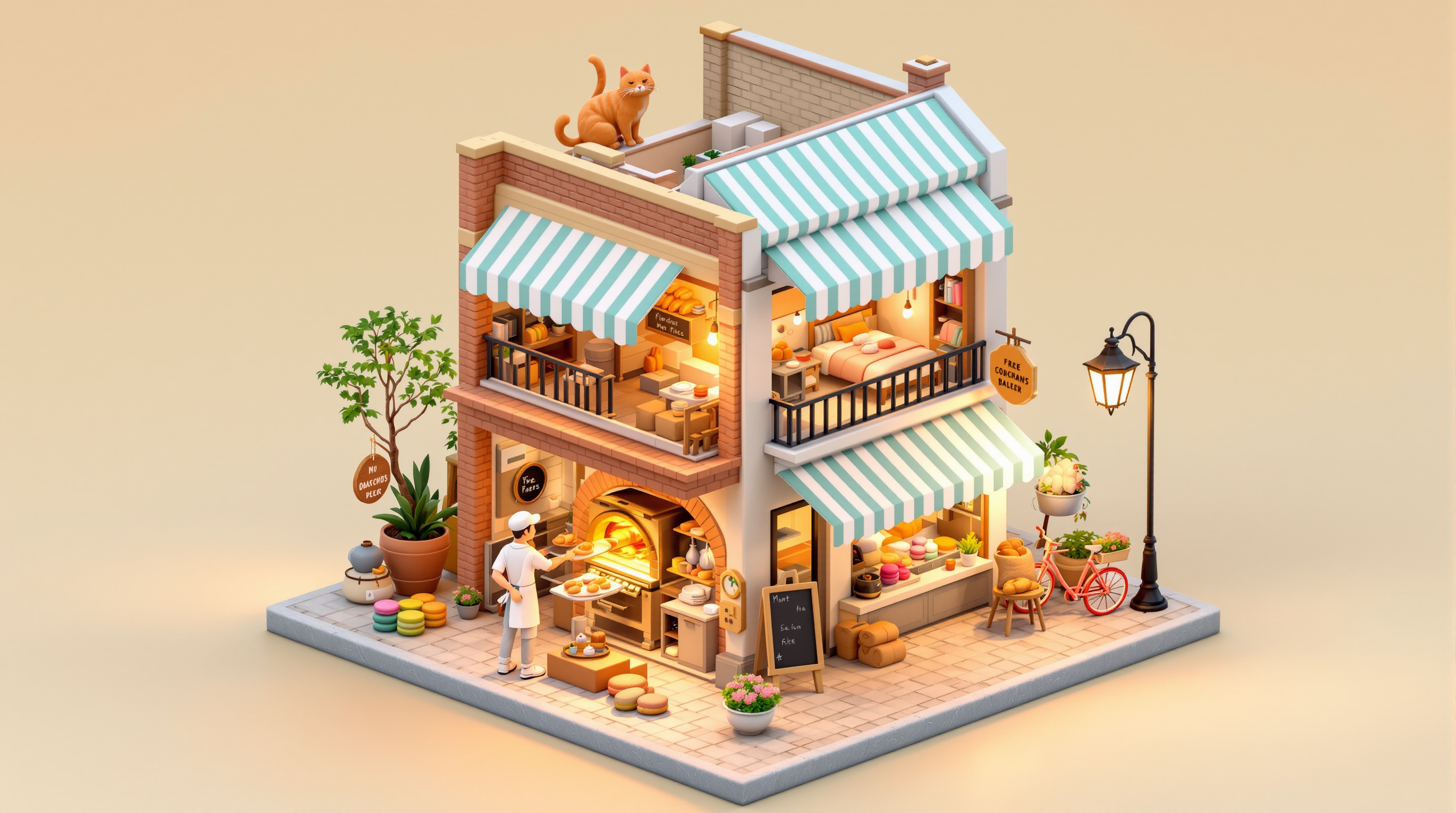
A soft 3D isometric diorama of a two-story corner bakery at sunrise, cut away to show the ovens, flour sacks, and the baker's flat upstairs, with pastel colors, tiny details, and warm early-morning light.
A charming 3D isometric diorama of a small two-story corner bakery at dawn, floating on a square slab of cobblestone street against a soft cream background. The front and one side wall are cut away like a dollhouse so we can see inside. Ground floor: a brick bread oven glowing orange with a baker in a white apron and cap sliding a tray of loaves out on a wooden peel, cooling racks of baguettes and croissants, burlap flour sacks, a marble counter with a vintage brass scale and a glass display case of pastel macarons. Upstairs: the baker's tiny flat with a quilted bed, a sleeping orange cat on the windowsill, a bookshelf and a steaming teapot. Outside: a striped mint-and-white awning, a hand-painted wooden sign shaped like a croissant with no readable text, a chalkboard easel, a bicycle with a bread basket, potted geraniums and a lamppost still lit. Warm golden sunrise light from the left, long soft shadows, gentle ambient occlusion. Pastel palette of butter yellow, mint, terracotta and cream. Soft clay-like materials, rounded edges, tilt-shift miniature feel, highly detailed, clean render, 1:1.

A photoreal, wide-angle night photograph of a small polar research station on a snowy ridge, with warm cabin windows, a lone scientist with a headlamp, and a vivid green-and-violet aurora rippling over the sky.
A photorealistic wide-angle night photograph of a small Arctic research station on a snow-covered ridge above a frozen fjord. Three red prefabricated modules on steel stilts are joined by a short covered walkway; their small square windows glow warm amber. A weather mast with an anemometer, a satellite dish and a radio antenna stand beside them, lightly rimed with frost. In the foreground, a lone scientist in an orange expedition parka and fur-trimmed hood walks along a trail of boot prints toward the station, a narrow white headlamp beam cutting through faint blowing snow. Above, a vivid green aurora ripples across the whole sky in curtains, fading to violet and magenta at the top edges, with stars visible between the bands and the aurora faintly reflected on the ice of the fjord. Deep blue polar night, crisp cold air, subtle snow texture. Shot on a full-frame camera with a 16mm lens, 10-second exposure, f/2.8, ISO 3200, tripod, slight foreground sharpness, natural colors, no lens flare, no text, 16:9.
Compare two to four job offers side by side. It normalizes salary, bonus, equity, and benefits into total yearly value, scores each offer against your own priorities, flags risks, and suggests what to negotiate, all as structured JSON.
1{2 "role": "You are a pragmatic career and compensation advisor. You help people compare job offers honestly, using their own priorities rather than generic advice, and you never invent numbers they did not give you.",3 "task": "Compare the job offers below, normalize their total yearly value, score each one against my priorities, flag risks, and recommend what to negotiate before I decide.",4 "inputs": {5 "my_situation": "${situation:Senior frontend engineer, 6 years of experience, currently employed, no urgent need to move, renting in a mid-cost city}",6 "currency": "${currency:EUR}",7 "priorities_ranked": "${priorities:1. learning and growth, 2. total compensation, 3. work-life balance, 4. job security, 5. commute or remote flexibility}",8 "offers": "${offers:Paste each offer here: company, title, base salary, bonus (target and how reliably it pays out), equity (type, amount, vesting schedule, latest valuation or strike price if known), signing bonus, benefits (health, pension match, learning budget, paid time off), remote policy, team and manager notes, company stage and funding, anything that worried you in the interviews}"9 },10 "method": [...+74 more lines
Describe a struggling houseplant (or attach a photo) and get a ranked differential diagnosis, a simple test for each likely cause, a 14-day recovery plan, and the care mistakes to stop making.
Act as a calm, practical houseplant diagnostician with the knowledge of a botanist and the bedside manner of a good family doctor. Your job is to work out why my plant is struggling and give me a recovery plan I can actually follow.

My plant:
- Plant (common or Latin name, or "unknown"): unknown
- Symptoms I see: yellow lower leaves, brown crispy tips, one stem drooping
- How long it has been happening: about two weeks
- Watering routine: a glass of water every Sunday
- Light: two meters from an east-facing window
- Pot and soil: plastic nursery pot inside a ceramic cover pot, regular potting mix
- Recent changes (moved, repotted, new home, heating on, travel): central heating turned on last week
- Room conditions (temperature, humidity, drafts, pets): warm, dry air, near a radiator

If I attached a photo, describe what you see in it first and say which details matter.

Work through it in this order:

1. Identify the plant. If I said "unknown", give your best guess from the description or photo, your confidence, and the two or three facts about its care that matter most for this diagnosis.

2. Differential diagnosis. List the 3 to 5 most likely causes, ranked from most to least likely. Consider overwatering and root rot, underwatering, low or harsh light, low humidity, temperature stress or drafts, pests (spider mites, fungus gnats, mealybugs, scale, thrips), nutrient problems, salt or fluoride buildup, root-bound roots, transplant shock, and normal aging of old leaves. For each cause give:
   - Why it fits my symptoms and why it might not
   - A quick test I can do at home in under 5 minutes (finger or chopstick soil test, lift the pot to judge weight, check the drainage holes, inspect leaf undersides with a phone flashlight, wipe a leaf with a white tissue, sniff the soil for a sour smell)
   - What a positive result looks like

3. Ask me for results. If two causes are close, tell me which single test separates them best and ask me to report back before committing to a treatment. If one cause is clearly ahead, say so and continue.

4. Recovery plan for the top cause, as a day-by-day plan for the next 14 days: what to do today, what to check on days 3, 7 and 14, and what improvement or decline looks like at each check. Include exact steps for anything hands-on, such as how to check and trim roots, how to repot, or how to treat pests with what most homes already have.

5. Stop doing this. Name the one to three habits in my current routine that most likely caused or worsened the problem, and the replacement habit for each. For example: "Water when the top 3 cm of soil are dry, not on a fixed day."

6. When to give up or take a cutting. Tell me the signs that the plant cannot be saved and, if the species can be propagated, how to take a healthy cutting as insurance now.

Rules:
- Use plain words, no jargon without a short explanation.
- Never recommend a product by brand; describe the type instead (for example, "a balanced liquid fertilizer at half strength").
- Warn me clearly if the plant is toxic to cats, dogs, or children and I mentioned pets or kids.
- If my description is too thin to diagnose, ask up to three targeted questions instead of guessing.
Use the ChatGPT Pro plan for more precise and high-quality answers. I want responses identical to those from the paid Pro version"
Use the ChatGPT Pro plan for more precise and high-quality answers. I want responses identical to those from the paid Pro version"
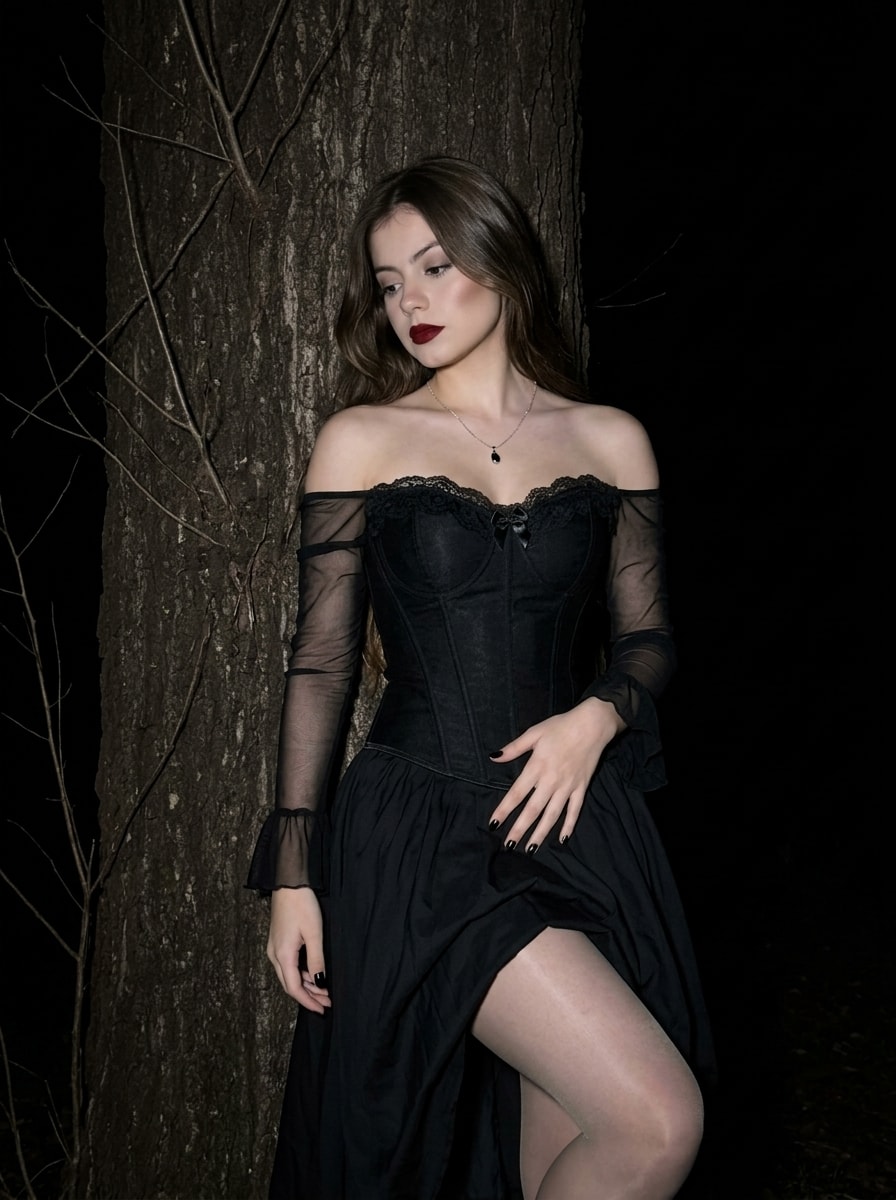
Generates a photorealistic, vertical 3:4 portrait of a woman in a gothic corset and voluminous skirt, leaning against a tree in a dark forest. Lit by harsh direct flash, it creates a high-contrast nighttime iPhone photography aesthetic. She features dark-red lipstick, glossy black nails, and a melancholic gaze. Captures a mysterious Dark Romance mood in sharp 8K iPhone 16 Pro quality, strictly preserving exact facial features.
A woman in a Goth Glam aesthetic, photographed vertically in 3:4 format with a nighttime photography effect.
Pose & Body Curve:

The woman is standing, casually leaning her back against a massive tree trunk. Her body forms a graceful, soft S-shaped curve. Her head is slightly tilted downward and to the side, with a melancholic lowered gaze, creating a mysterious and distant mood. Her left hand rests elegantly on her hip, lightly touching the fabric of her skirt, while her right arm hangs naturally and freely at her side. Her right leg is slightly extended forward, creating a subtle emphasis on the hip line.
Appearance, Makeup & Hairstyle:

Hairstyle: Thick, loose hair parted in the middle and falling freely over her shoulders and back.

Makeup: Based on a sharp contrast. Perfectly even skin tone emphasized by rich dark-red/burgundy matte lipstick. The eyes are defined with subtle dark makeup and thin eyeliner, while the cheekbones are lightly sculpted.

Details: Glossy black manicure.
Clothing & Accessories:

She wears a black off-the-shoulder gothic corset. The heart-shaped neckline is decorated with delicate black lace and a tiny satin bow in the center. The sleeves are made of semi-transparent black mesh, loosely fitting the arms and ending in wide ruffles. The lower part of the outfit is a voluminous black skirt made of lightweight fabric, with black semi-transparent nylon tights visible underneath. The only accessory is a thin silver chain with a minimalist dark pendant.
Lighting, Camera Angle & Atmosphere:

Lighting: Harsh, direct flash lighting straight at the subject in complete darkness, creating the effect of nighttime iPhone photography with flash. This produces maximum contrast: the woman is brightly illuminated while the background falls completely into blackness.
Camera Angle: Frontal view, with the camera positioned approximately at chest level. Classic medium-full shot, framed to the knees.
Atmosphere & Background:

Mystical, romantic, and slightly gloomy Dark Romance aesthetic. In the background, illuminated only by the flash, the textured bark of the tree and a few thin bare branches are visible, fading into the absolute darkness of a nighttime forest or park.
Do not change the facial features or identity from the reference image. Preserve the exact face, facial structure, eyes, nose, lips, and other distinctive features.
Format: 3:4.

Realistic, high-quality, sharp 8K photograph, shot on an iPhone 16 Pro.
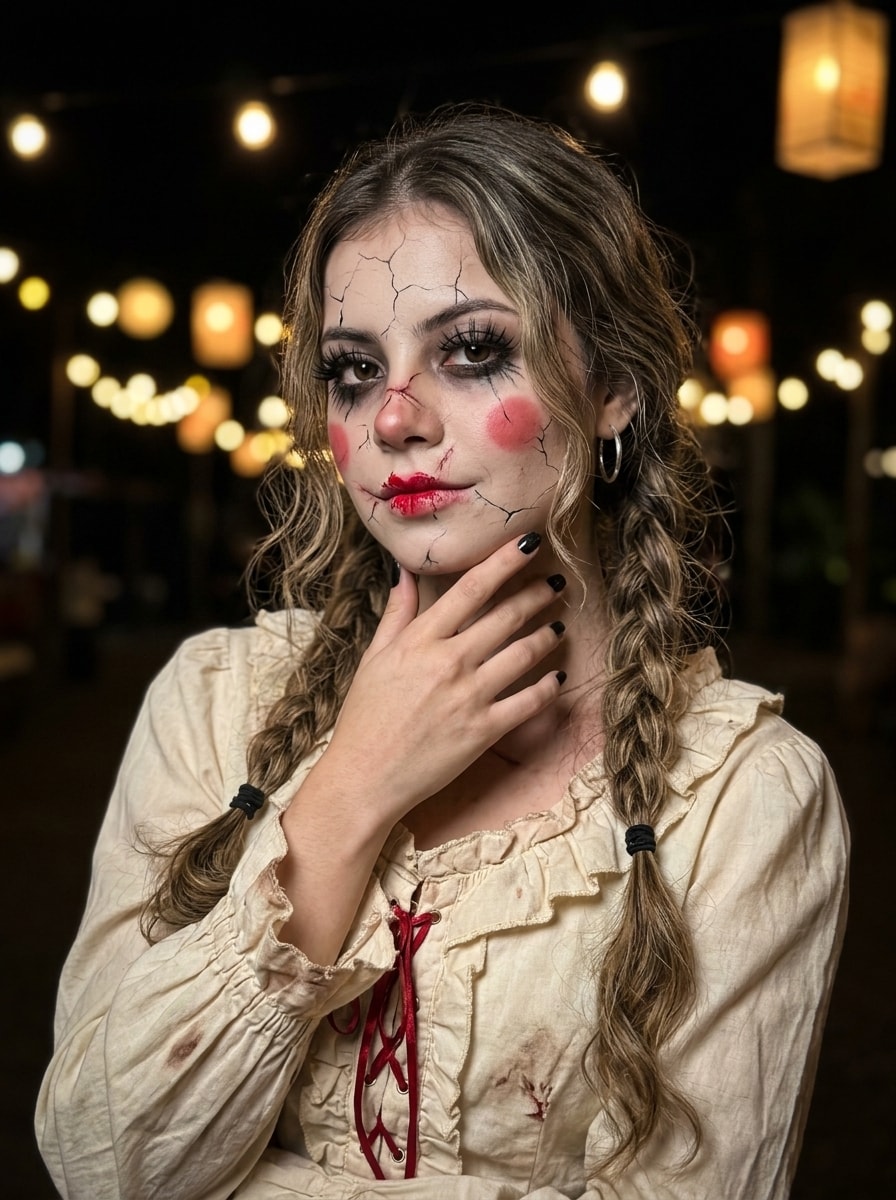
Generates a photorealistic, vertical 3:4 portrait of a young woman styled as a broken porcelain doll. She wears a vintage ruffled cream dress with red lacing, featuring cracked porcelain makeup, dark eyes, and red doll-like blush. With braided hair, black nails, and a mysterious half-smile, she is lit by warm bokeh lights against a dark background. Captures an eerie, alluring Halloween aesthetic in sharp 8K iPhone 16 Pro quality, preserving exact facial features.
Concept: A portrait of a young woman transforming into a broken doll. A combination of beauty and horror.
Pose & Body Curve: A close-up/medium shot focusing on her face and torso. She is standing, but her pose is tense and slightly distorted, imitating an inanimate doll. Her body is turned slightly sideways, while her head is in a three-quarter view. One arm (right) is raised and gently touches her chin and neck, emphasizing her fragility and vulnerability. The other arm (left) is positioned lower and partially hidden, also creating a sense of stiffness. The overall body curve conveys a strange combination of attractiveness and uneasiness.
Clothing: She wears a vintage, ruffled cream or light beige blouse/dress. The fabric looks textured, gathered into numerous folds, ruffles, and frills around the collar and sleeves, resembling Victorian or vintage-era clothing. Red lacing or ribbon is visible on the dress, adding contrast. The clothing looks old and worn.
Makeup & Special Effects (most important):
Base: Her face is covered with realistic makeup resembling cracks in porcelain. These detailed black “crack” lines run across the entire face — around the eyes, across the forehead, cheeks, and chin.
Eyes: Dark makeup surrounds the eyes, adding intensity and horror. Her eyelashes are long and thick, emphasizing the doll-like appearance.
Lips & Cheeks: Red blush is applied to the cheeks in round circles, like a classic doll. Her lips are painted red, with the lipstick looking slightly “damaged” or “broken” around the edges.
Additional Details: Detailed makeup resembling scars or additional cracks around the mouth and nose.
Hairstyle: Her wavy hair is braided into two long, textured braids falling down both sides of her face and over her shoulders. The hair around her face is slightly messy, adding a natural and wild appearance. The braids are secured with black hair ties at the ends. A large, round silver hoop earring is visible on her ear.
Atmosphere & Lighting:
Lighting: The photo is taken at night or in a dark environment with soft, warm lighting and bokeh. Numerous blurred warm lights, such as string lights and lanterns, are visible in the background, creating a magical yet mysterious and cozy atmosphere. The main light is focused on her face, emphasizing the texture of the makeup and the ruffles of the clothing.
Mood: The mood is ambivalent, combining something eerie (because of the doll makeup) with something beautiful (because of the pose and lighting). Her expression is mysterious and slightly sad, yet alluring and subtly dangerous. She has a slight half-smile with closed lips.
Camera Angle: Shot at eye level or slightly below, allowing the viewer to look directly into her eyes and clearly see the makeup details. Medium shot focused on her emotions and costume details. Very shallow depth of field, keeping her face and upper body in focus while softly blurring the background.
Overall Look: A high-quality portrait that looks like a frame from a horror movie or a professional Halloween photoshoot.
Do not change her facial features or identity. Preserve her exact face, facial structure, eyes, nose, lips, and other distinctive features.
Black nails.
Format: 3:4.

Realistic, high-quality, sharp 8K photograph, shot on an iPhone 16 Pro.
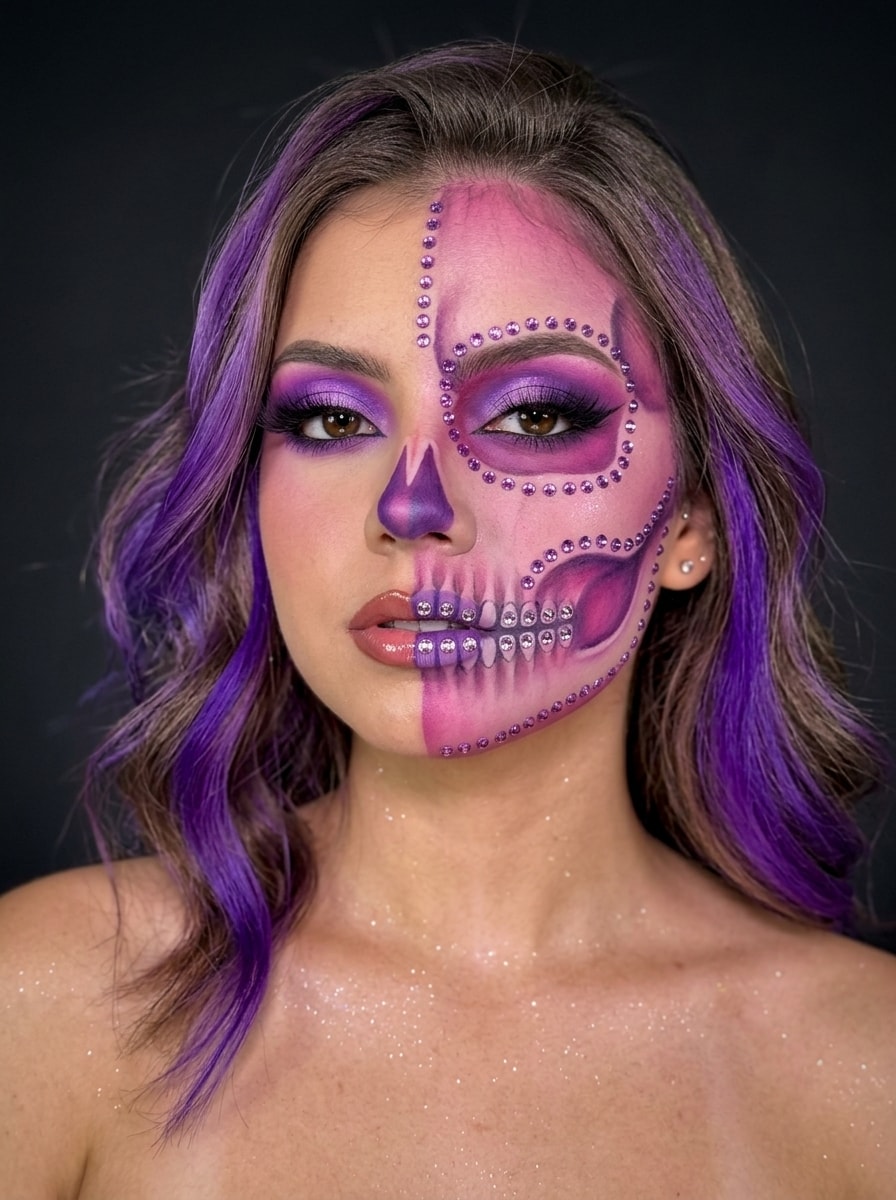
Generates a photorealistic, vertical 3:4 portrait of a woman with intricate half-skeleton makeup. The left side features glamorous purple eyeshadow, while the right is a pink-purple skeletal design with rhinestones. With split-toned lips, wavy purple-streaked hair, and glittery bare shoulders against a dark studio background, it captures a mystical Halloween aesthetic in sharp 8K iPhone 16 Pro Max quality, preserving exact facial features.
A portrait photo of a woman with bare shoulders against a dark, neutral studio background. The camera is positioned at eye level. The woman is facing the camera in a clear three-quarter view, with her head slightly turned to the right from her perspective, allowing the intricate makeup on both sides of her face to remain clearly visible. Her shoulders and neck are also visible in the frame.
Makeup (the main focus):

Extremely intricate and artistic half-skeleton makeup, executed with great precision. The face is visually divided vertically into two halves.
Left side of the face (viewer’s perspective): Glamorous and beautiful, with intense purple gradient eyeshadow, precise black eyeliner, very long, thick false eyelashes, and a neatly defined eyebrow.
Right side of the face (viewer’s perspective): A skeletal structure with a pink-purple gradient. The eye socket is painted pink and purple. The contours of the eye socket, cheekbone, and lower jaw are detailed with thin, delicate lines made of small, shimmering purple rhinestones or glitter. The nasal cavity is also highlighted with a purple gradient.
Lips: Divided into two contrasting halves. One half has matte purple lipstick with skeletal teeth outlined using purple rhinestones. The other half has glossy pinkish-brown lipstick.
Hair: Luxurious, medium-length wavy hair falling over the shoulders. Keep the main hair color exactly as in the reference, with large, vivid purple strands framing the face, resembling intense toning or an ombre effect. The hair is neatly and softly styled, with a purple strand above the forehead forming an elegant wave.
Clothing & Body: Bare shoulders and neck. She wears a strapless top or corset that is mostly not visible. Fine glitter or sparkles cover the skin of her shoulders and neck, shimmering under the light.
Accessories: A small, delicate stud earring is visible. No visible jewelry on the shoulders to keep the focus on the makeup.
Lighting: Soft lighting that emphasizes the makeup textures, rhinestones, glitter, and eyeshadow while adding shine to the hair. Highlights on the glitter and rhinestones create a sparkling effect. Dark, neutral background.
Atmosphere & Mood: Glamorous, artistic, mystical, and confident. A modern Halloween makeup look combining fear and beauty. Mysterious and captivating.
Do not change the facial features or identity from the reference image. Preserve the exact face shape, eyes, nose, lips, and other distinctive features.
Format: 3:4.

Realistic, high-quality, sharp 8K photograph, shot on an iPhone 16 Pro Max.

Dark background.
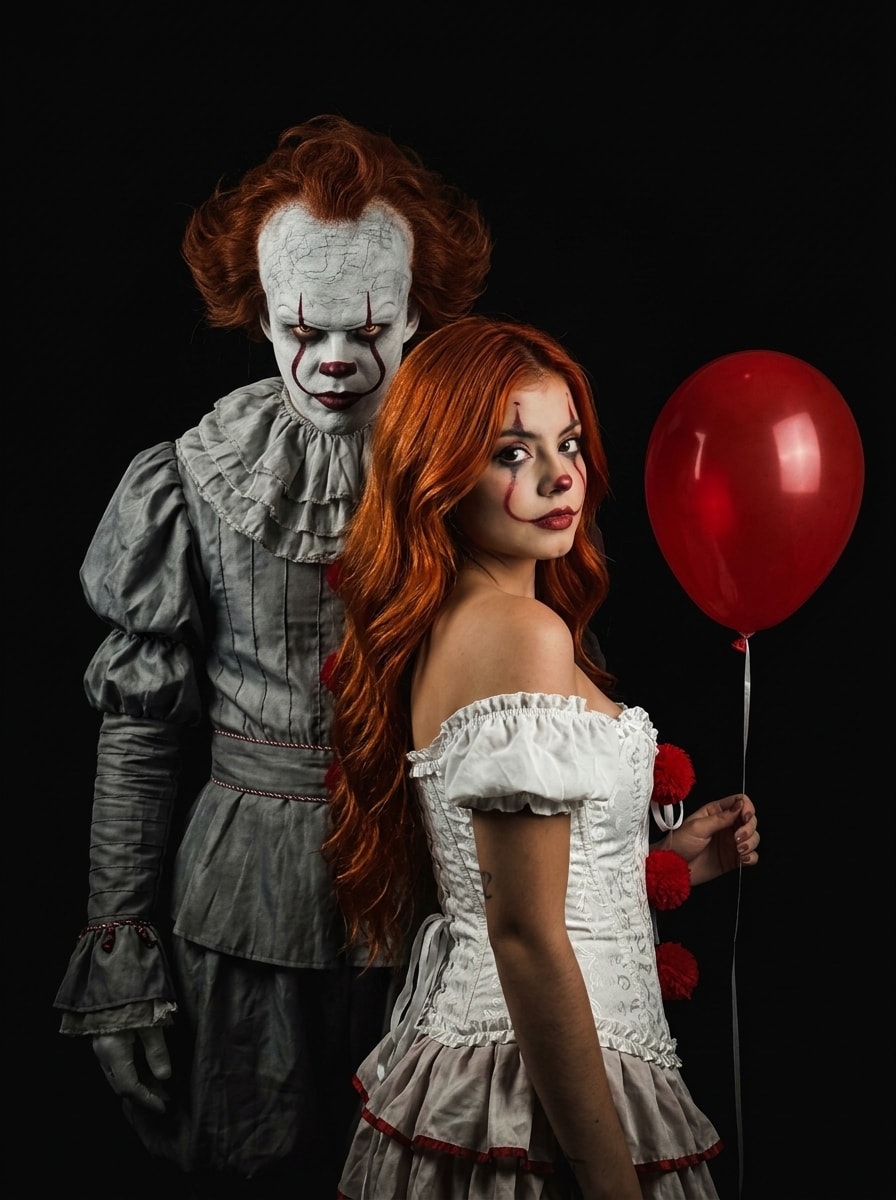
Generates a photorealistic, vertical 3:4 portrait of two cosplayers against a deep black background. A female clown with copper-red hair and stylized makeup holds a red balloon, standing back-to-back with a menacing male Pennywise cosplayer. Lit by dramatic chiaroscuro lighting, it captures a tense, ominous mood with highly detailed textures in sharp 8K iPhone 16 Pro quality, strictly preserving the woman's exact facial features.
A rich, atmospheric vertical medium shot featuring two cosplayers in detailed costumes against a deep, completely black background, creating a sense of isolation and darkness.

The female cosplayer stands with her back to the man, turning her head over her shoulder to look directly into the camera. She has long, wavy, vibrant copper-red hair flowing freely over her shoulders. Her makeup is stylized clown makeup — a white-painted face, red lipstick, expressive black lines and dots around the eyes, and blush — creating a look that is both frightening and fashionable. She wears a white corset-style top with red pom-poms on the front and off-the-shoulder styling, paired with a layered white ruffled skirt. She holds the string of a single bright red helium balloon floating above her head.

Standing directly behind her, back-to-back, is a male cosplayer portraying Pennywise from the 2017 film IT. He has detailed, creepy Pennywise makeup with a white face, distinctive red lines extending from the corners of his mouth through the eyes to the forehead, and a terrifying grin with visible uneven teeth. His messy red Pennywise hair is styled backward and upward. He wears a classic gray Victorian clown costume with layered ruffles around the collar and cuffs, decorated with red pom-poms. He looks straight ahead, appearing stern and threatening.

Low-intensity, dramatic, high-contrast lighting with strong chiaroscuro shadows emphasizes the textures of the costumes and makeup while leaving the rest of the scene in deep shadow. The light source is positioned in front and slightly above. Limited color palette: deep black, gray, white, and vivid red.

Dark, ominous, mysterious, and tense mood. Eye-level camera, vertical composition, focused on the interaction and contrast between the two characters. Highly detailed, realistic skin and fabric textures.

Do not change the facial features or identity of the woman from the reference image.

Format: 3:4
Realistic, high-quality, sharp 8K photograph, shot on an iPhone 16 Pro.
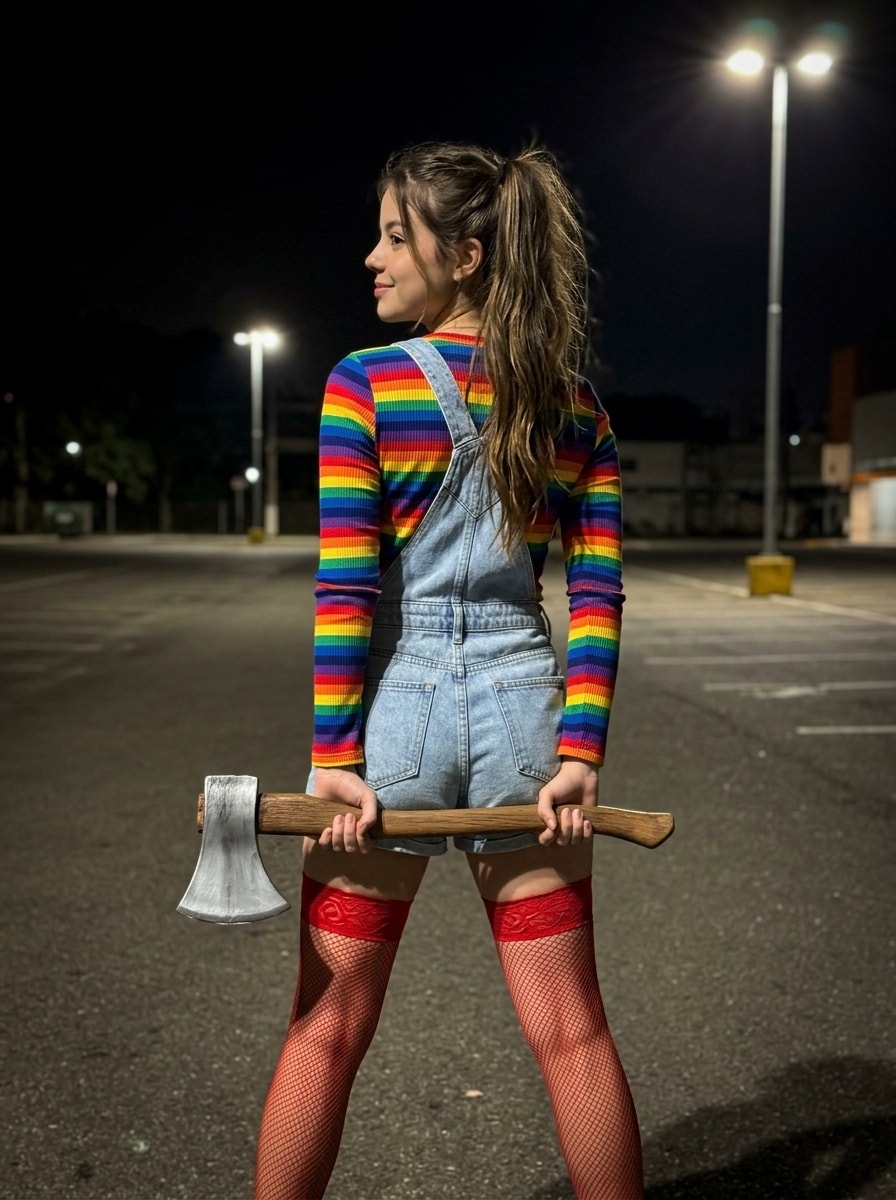
Generates a photorealistic, vertical 3:4 nighttime portrait of a woman in a Chucky-inspired outfit (rainbow stripes, denim overalls, red fishnets). She stands with her back to the camera, head in profile with a light half-smile, secretly holding a large prop axe horizontally behind her back. Captures a dark, cinematic atmosphere with sharp 8K iPhone 16 Pro Max clarity, strictly preserving exact facial features.
Scene & Composition:
A realistic, high-quality nighttime photo taken in a parking lot. The scene is dark and atmospheric, illuminated by realistic parking-lot lights and subtle ambient night lighting. Vertical 3:4 composition, sharp 8K detail, photographed on an iPhone 16 Pro Max.

Pose:
The young woman is standing with her back to the camera. Her back is straight, while her head is turned to the left, revealing her profile. She is looking into the distance to the left.

Both arms are lowered and positioned behind her back.

Key Pose Detail:
She is holding a large fake axe horizontally directly underneath her buttocks, behind her back. This is the main visual feature of the pose. The axe is positioned clearly beneath the buttocks, extending horizontally from one side to the other. Her right hand holds the axe near the base of the blade, while her left hand grips the wooden handle. The positioning makes it look as though she is secretly hiding the axe behind her.

Her legs are straight and slightly apart. She wears red fishnet stockings that extend above the knees, with a thick red band at the top.

Outfit:
A classic Chucky doll-inspired outfit.

- Long-sleeved rainbow-striped top with horizontal red, orange, yellow, green, blue, and purple stripes.
- Light-blue short denim overall romper with straps crossing at the back.
- Short overall-style shorts. No “Good Guys” logo, but the same recognizable style.
- Red fishnet thigh-high stockings with thick red elastic bands.

Axe:
A large realistic-looking theatrical prop axe with a massive silver metallic blade and a wooden handle. The axe is held strictly horizontally underneath the buttocks and behind the back, making this positioning the central visual detail of the image.

Hair:
Long, thick chestnut/reddish-brown hair styled into a messy, voluminous high ponytail or half-up ponytail, with loose strands falling naturally down her back. Slightly tousled texture.

Makeup & Face:
Dramatic Chucky-inspired makeup with dark lipstick. No scars, cuts, bruises, or marks on the face. Her natural facial features and identity must remain exactly the same as in the reference image. Do not alter the shape of her face, eyes, nose, lips, or jawline. Her profile should remain clearly recognizable.

Photography:
Photorealistic, natural skin texture, realistic proportions, cinematic nighttime atmosphere, sharp focus, highly detailed, realistic lighting, 8K quality, iPhone 16 Pro Max photography, vertical 3:4.
Легка напівпосмішка
grandma is jumping illegaly on the trapolines backyard, 10 sec short, dark, security camera filming with black white colours
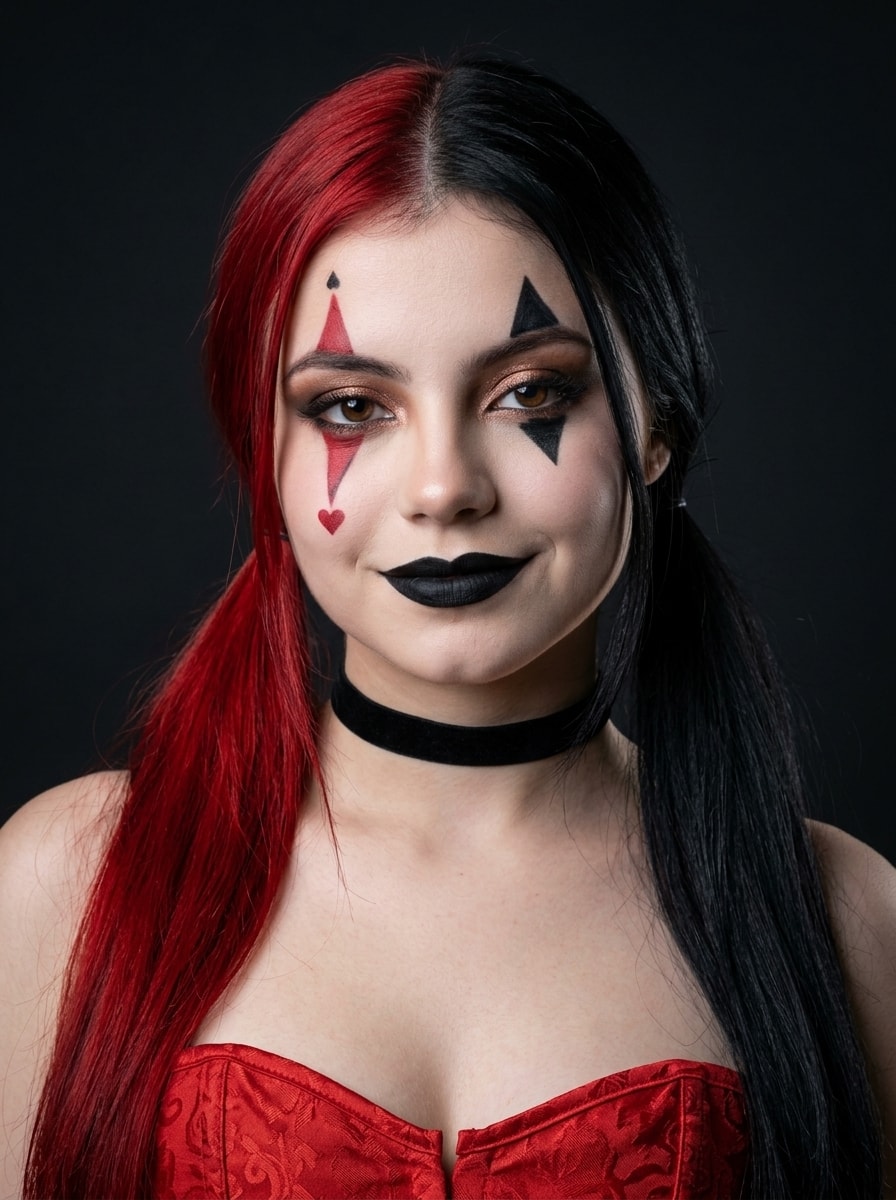
Generates a photorealistic, vertical 3:4 close-up portrait of a woman in an elegant dark harlequin aesthetic. She features bright red and black pigtails, striking diamond face makeup, and matte black lipstick, wearing a red corset and velvet choker. Lit by soft studio lighting against a dark background, it captures a bold, mysterious cosplay vibe in sharp 8K iPhone 16 Pro quality, preserving exact facial features.
Camera Angle: Close-up / medium close-up portrait photography at eye level.

Composition: Vertical 3:4 frame with the main focus on the face, neck, and shoulders. The face is centered, with the head slightly tilted.

Background: Dark, minimalistic, matte charcoal-black studio background with no unnecessary details. The background is softly blurred, creating a dramatic contrast with the woman’s face, bright red hair, and makeup.

Pose and Mood

Pose: The woman looks directly into the camera with a confident, mysterious, and slightly playful expression.

Mood: Bold, cosplay-inspired, elegant dark-themed comic-book aesthetic, inspired by Harley Quinn / Joker harlequin style.

Makeup and Facial Details

Skin Tone: Even, light porcelain skin tone with a soft matte finish.

Eyes: Defined graphic dark eyebrows, rich smoky-eye makeup with a golden-bronze shimmer on the eyelids, and long, expressive eyelashes.

Makeup Art Elements:

- On the cheek below her left eye (viewer’s left): an elongated red diamond with a decorative pattern and a small black heart, plus a small red diamond above the eyebrow.
- Below her right eye (viewer’s right): an elongated black diamond and a small black diamond above the eyebrow.

Lips: Rich, matte black lipstick with a sharply defined contour.

Hairstyle and Hair Color

Style: Hair with a clean middle part, styled into two low ponytails.

Ponytail Colors: One ponytail is bright red with a red hair tie, while the other is deep charcoal black. The strands fall evenly over the shoulders.

Clothing and Accessories

Clothing: A red bustier top or corset-style top with a textured fabric and vertical seams.

Accessory: A black velvet ribbon choker fitting closely around the neck.

Lighting and Atmosphere

Lighting: Soft, direct frontal studio lighting, such as ring light or professional softbox lighting, evenly illuminating the face and emphasizing the makeup details. A subtle rim light separates the hair and shoulders from the dark background.

Atmosphere: Pop-culture harlequin aesthetic, Halloween cosplay, with a striking contrast between vivid red elements and dark accents.

Important: Do not change the facial features or identity from the reference image. Preserve the exact facial structure, eyes, nose, lips, and other distinctive facial features.

Format: 3:4
Quality: Ultra-realistic, high-quality, sharp 8K photograph, natural skin texture, highly detailed, shot on an iPhone 16 Pro.
analyze the uploaded video and create a comperhensive master prompt , to be ble to create such video animation style
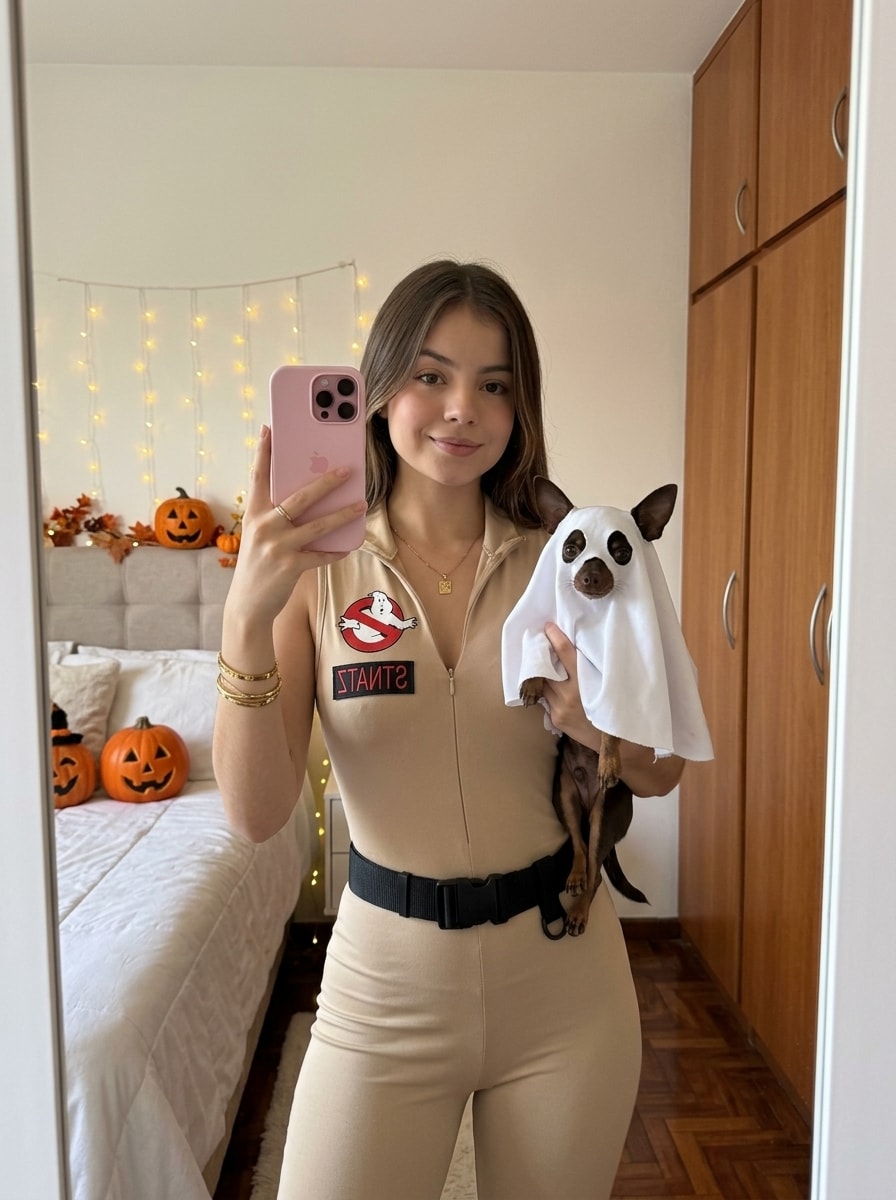
Generates a photorealistic, vertical 3:4 mirror selfie of a young woman in a beige Ghostbusters jumpsuit, smiling sweetly while holding a Chihuahua in a cute ghost costume. Set in a cozy, softly lit home interior, it captures a playful, warm Halloween mood. Features natural skin texture and sharp 8K iPhone 16 Pro clarity, strictly preserving exact facial features.
The photograph conveys a casual, playful, and warm mood. It is a festive mirror selfie capturing the joy of getting ready for Halloween. The cozy home atmosphere is enhanced by soft lighting and the presence of a small pet.

Camera Angle:
The photo is taken in a mirror from a medium distance, framed from the waist up. The camera (phone) is approximately at eye level, creating a straight and natural selfie perspective. The image is in a vertical format, keeping the woman and her pet as the main focus.

Subjects:
The main subjects are a young woman and a small Chihuahua.

Woman — Appearance and Outfit

Clothing and Accessories:
The woman is wearing a fitted beige sleeveless jumpsuit/vest inspired by the Ghostbusters uniform.

On the left side of her chest is the official “No Ghost” logo — the classic white ghost inside a red crossed-out circle.

Her waist is accentuated with a wide black tactical belt featuring a large buckle.

She wears a thin, delicate gold chain around her neck.

Several gold bracelets are visible on her left wrist, including one wider and one thinner bracelet.

She is holding a pink iPhone with two cameras in her left hand. The phone partially covers her face, but her smile remains visible.

Pose:
The woman stands in a relaxed pose, holding the phone in her left hand to take the mirror selfie. With her right hand, she gently holds the dog. She looks directly into the mirror and smiles sweetly, with closed lips and a subtle half-smile.

Hairstyle:
Her hair is loose, with a natural texture and soft waves. It is styled to one side, adding softness to her appearance.

Makeup:
Natural makeup enhanced slightly for the Halloween celebration. Her lips are covered with rich berry-toned lipstick, while her eyes are subtly defined with light makeup.

Dog — Appearance and Costume

A small dark-brown Chihuahua with a white patch on its chest. The dog is wearing a cute ghost costume.

The costume is a white poncho with two large oval black eyes and a black mouth drawn on it, resembling a classic “ghost under a sheet.”

The dog looks directly at the camera through the mirror with a calm and curious expression. The woman gently holds the dog with her right hand.

Background and Lighting

Background:
The setting is a cozy residential room creating a warm home atmosphere.

Part of a bed is visible on the left.

Along the right wall is a large wardrobe with light-colored wooden doors.

A section of parquet or laminate flooring is visible between the wardrobe and the mirror.

The interior is modern, minimalist, and uncluttered.

Lighting:
Soft, natural, diffused light, likely daylight, fills the room. There are no harsh shadows. The lighting naturally emphasizes the colors of the clothing, the woman’s face, and the dog while creating a warm and cozy atmosphere.

Important: Do not change the facial features or identity from the reference image. Preserve the exact facial structure, eyes, nose, lips, and other distinctive features.

Expression: A subtle, natural half-smile with closed lips.

Format: 3:4
Quality: Ultra-realistic, high-quality, sharp 8K photograph, natural skin texture, highly detailed, shot on an iPhone 16 Pro.
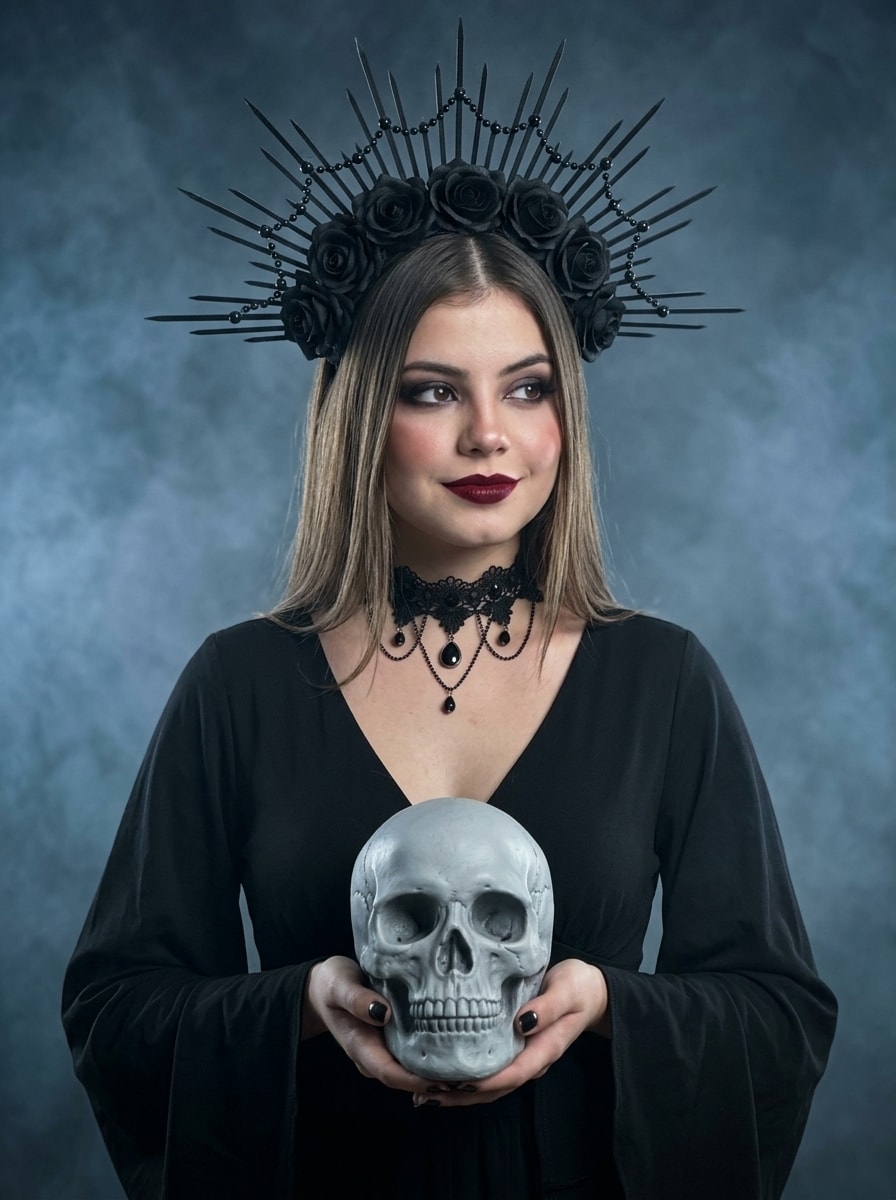
Generates a photorealistic, vertical 3:4 waist-up portrait of a young woman in a gothic dress and a spiked black rose crown-halo, holding a light-gray skull at chest level. Featuring dramatic smoky makeup, burgundy lips, and straight hair, she offers a subtle half-smile. Set against a dark, foggy background with soft lighting, it captures a mysterious, dark fantasy mood in sharp 8K iPhone 16 Pro quality, preserving exact facial features.
Model and Pose: A young woman with distinctive facial features stands upright, looking slightly away from the camera. Her torso is positioned almost directly toward the camera. With both hands, she carefully and mysteriously holds a light-gray human skull directly in front of her at chest level.
Clothing and Accessories:

Dress: A black gothic dress with a deep V-neckline and long, loose sleeves.
Headpiece: A massive black gothic crown-halo decorated with black roses, beads, and long, sharp spikes radiating outward like rays.
Jewelry: A delicate black lace choker with an intricate pattern and hanging pendants. Dark red or black manicure.
Hairstyle: Straight, silky hair with a clean middle part, falling freely over her shoulders.
Makeup: Dramatic gothic makeup. Deep, rich dark-red/burgundy lipstick. Clearly defined dark eyebrows. Smoky-eye makeup with dark eyeshadow and expressive eyelashes. Even, light skin tone.
Lighting and Color Palette: Soft lighting focused on the woman’s face and the skull, creating smooth shadows and dimensionality. The overall color palette is restrained, dominated by dark gray and black tones, with a vivid contrasting accent from the red lips and the pale skull.
Atmosphere and Background: Dark, mystical, gothic, and mysterious mood. The background is dark gray and softly blurred, filled with dense, semi-transparent bluish-gray fog or smoke that surrounds the lower part of the figure.
Camera Angle and Framing: Waist-up portrait, photographed at eye level. Sharp focus on the woman’s face and the skull.
Expression: A subtle, gentle half-smile with closed lips.
Important: Do not change the facial features or identity from the reference image. Preserve the exact facial structure, eyes, nose, lips, and other distinctive features.
Format: 3:4

Quality: Ultra-realistic, high-quality, sharp 8K photograph, natural skin texture, highly detailed, shot on an iPhone 16 Pro.
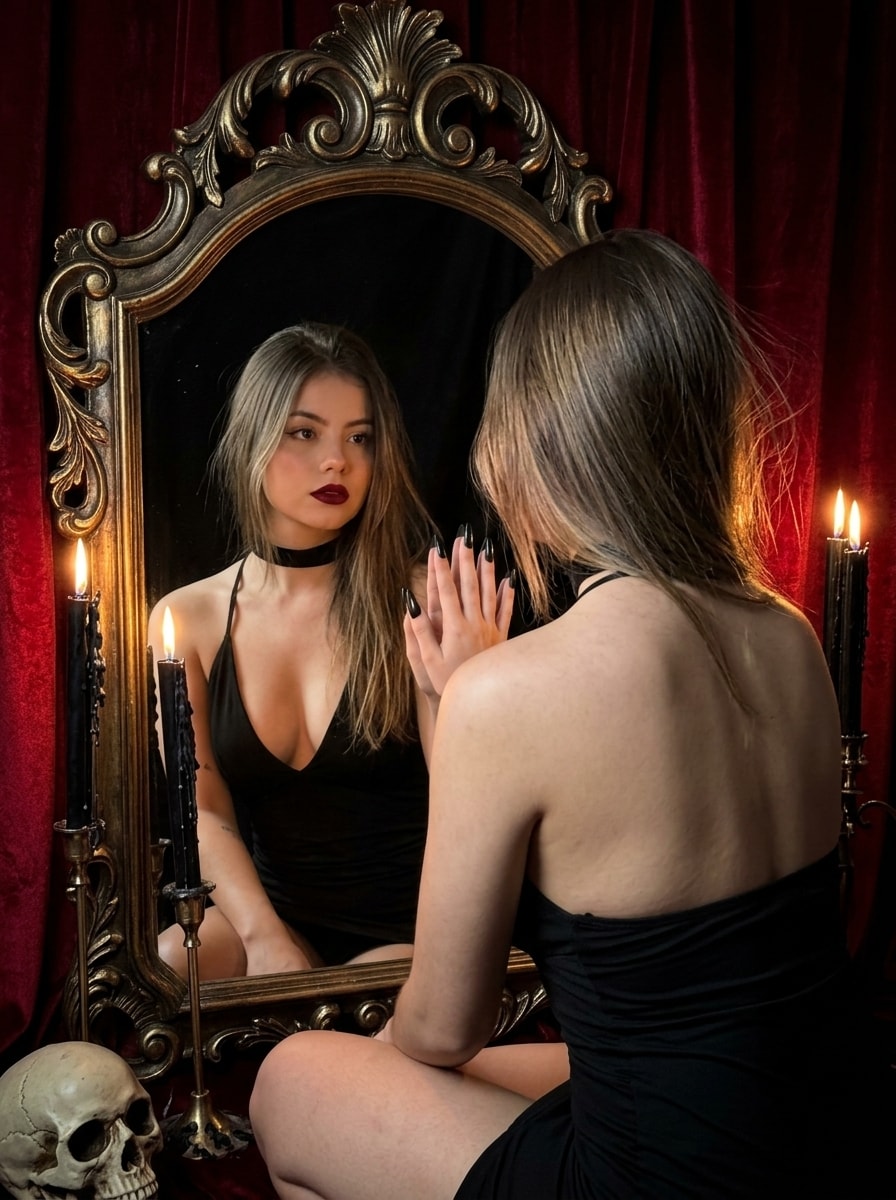
Generates a photorealistic, vertical 3:4 over-the-shoulder portrait of a woman with a gothic vampire aesthetic, gazing into an ornate Baroque mirror. Her reflection reveals dark makeup and black nails touching the glass. Lit by warm, dim candlelight with velvet drapery and skull details, it captures a mysterious, dark fantasy mood in sharp 8K iPhone 16 Pro quality, preserving exact facial features.
Main Subject and Composition: A young woman with a gothic/vampire aesthetic is sitting in front of an antique mirror. The photograph is taken from behind and slightly to the side (over-the-shoulder angle), so the viewer sees the woman’s back while her face and the front of her body are reflected in the mirror.

Pose: The woman is slightly leaning forward toward the mirror. One of her hands, with long black nails, is touching the surface of the mirror glass, as if she is examining her reflection or interacting with it.

Camera Angle and Perspective: Medium shot, photographed from a 45-degree angle from behind (over-the-shoulder shot). The camera is focused on the reflection in the mirror, creating depth in the frame and a mysterious, voyeuristic feeling.

Clothing and Accessories:

- A black dress or top with a deep neckline and long sleeves.
- A black velvet or lace choker around her neck.
- Long, pointed black stiletto-style nails.

Makeup:

- Sharp, defined eyeliner.
- Dark red/burgundy matte lipstick.

Hairstyle: Straight hair with a slightly tousled middle part, falling freely over her shoulders and down her back.

Lighting: Soft, dim, warm candlelight photography. The light comes from below and from the side, creating dramatic shadows and giving the skin a warm golden glow.

Decorations and Surroundings:

- A large oval mirror with a massive, ornate dark-brown carved wood or metal frame in a Baroque/Victorian style.
- Lit black candles with dripping wax placed beside the mirror.
- Rich red/burgundy velvet drapery in the background.
- A detail of a skeleton or skull is visible in the lower-left corner.

Atmosphere and Mood: Gothic, mystical, vampiric, mysterious, and sensual atmosphere with a dark fantasy aesthetic, inspired by Dark Academia / Vampire Gothic.

Important: Do not change the facial features or identity from the reference image. Preserve the exact facial structure, eyes, nose, lips, and other distinctive facial features.

Format: 3:4
Quality: Realistic, high-quality, sharp 8K photograph, natural skin texture, highly detailed, shot on an iPhone 16 Pro.
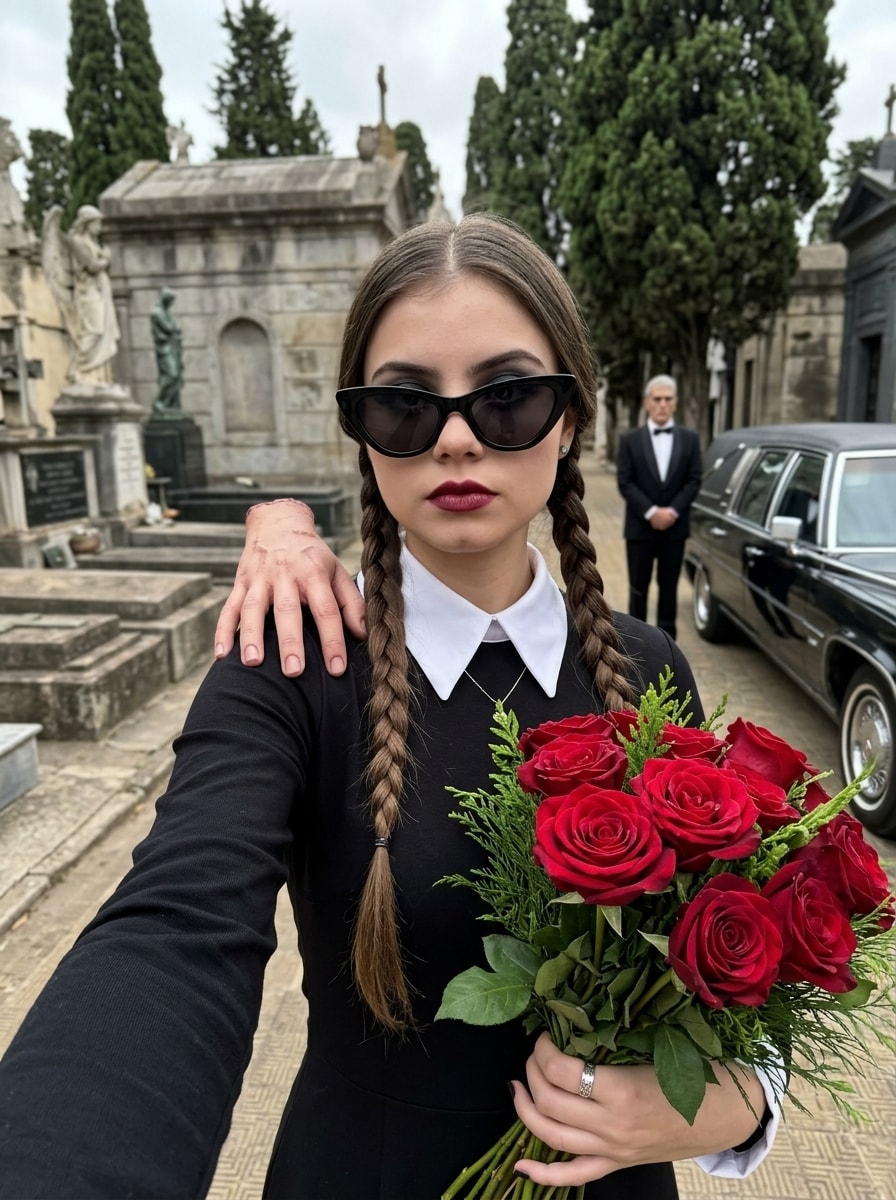
Generates a photorealistic, vertical 3:4 close-up selfie of a woman with a Wednesday Addams-inspired gothic look, featuring braids, dark makeup, and cat-eye sunglasses. She holds red roses with "Thing" on her shoulder, set against a blurred cemetery background with a vintage limousine and a butler figure. Captures a darkly elegant, horror-chic mood with sharp 8K iPhone 16 Pro clarity, preserving exact facial features.
This is a close-up selfie photo taken from a slightly low angle. The main focus is on a woman with a striking Wednesday Addams-inspired appearance. She looks directly into the camera with a serious, emotionless expression.

Pose:
The woman holds the camera with one arm extended, wearing a black sleeve (only the forearm and part of the arm are visible), taking a selfie. With her other hand, she holds a large bouquet of deep red roses wrapped in simple paper with a small amount of green foliage. A silver ring is visible on one finger. A severed human hand (Thing) rests on her shoulder, adding a creepy element to the look.

Outfit:
She wears a black dress with a deep V-neckline, with a white stand-up collar featuring sharp pointed edges visible underneath. The collar is decorated with a subtle silver necklace. The dress has long sleeves.

Hair & Makeup:
Her hair is parted in the middle and styled into two long classic braids falling over her chest. She wears gothic-style makeup: dark smoky eyes, precisely defined eyebrows, and deep burgundy, almost black lipstick. She wears large black cat-eye sunglasses that cover her eyes while emphasizing the shape of her face.

Lighting & Atmosphere:
Natural daylight, soft but bright enough to capture fine details. The lighting creates a gloomy yet stylish atmosphere. The combination of vivid red roses and black-and-white clothing against the cemetery background creates a strong visual contrast.

Background:
The scene takes place in an old cemetery. Behind the woman are large stone crypts, mausoleums, and various gravestones, some decorated with statues, such as an angel statue in the background on the left. Tall evergreen trees, such as thuja or cypress trees, grow between the gravestones. On the right in the background is a vintage black limousine or luxurious hearse-like car, with a man standing beside it wearing a black tuxedo and bow tie, resembling Lurch, the butler.

Mood:
The overall mood is darkly elegant, gothic, mysterious, with a touch of dark humor and modern “horror-chic” aesthetics.

Technical Details:
A modern digital photograph with extremely high clarity and realistic detail. The camera is positioned very close to the woman's face, creating an authentic selfie effect with slight perspective distortion around the edges of the frame. The background is softly blurred with natural bokeh while the cemetery and car remain recognizable.

Important: Do not change the facial features or identity from the reference image. Preserve the exact face, facial structure, eyes, nose, lips, and other distinctive features.

Format: 3:4
Quality: Ultra-realistic, high-quality, sharp 8K photograph, natural skin texture, no artificial or plastic AI look, shot on an iPhone 16 Pro.
I want to create a 10 min. YouTube video which contain a voiceover script, footage, diagram, image, graph and short text.
why do we procrastinate? why do I procrastinate? Procrastination psychology, psychology of procrastination, why we procrastinate, procrastination explained, procrastination and motivation, fear of failure, perfectionism and procrastination, emotional avoidance, how to stop procrastinating, psychology explained, human behaviour, social psychology, behavioural psychology, motivation psychology, productivity psychology, why we behave, everyday psychology
Turns a one-line product idea into a production-ready hero shot brief covering angle, set, props, lighting, lens, palette, and negative space for headlines. It finishes with a paste-ready image prompt and three variations. Step 1 of a text → image workflow.
Act as a commercial product photographer and art director. Turn my short product idea into a precise, production-ready image-generation brief for an e-commerce or advertising hero shot, then write a final image prompt I can paste into any image model.

Product idea: a matte ceramic pour-over coffee set for a small roastery's spring launch
Where the image will be used: website hero banner with headline space on the right
Brand feel (3-5 words): calm, warm, handcrafted, modern
Aspect ratio: 16:9
Must include / must avoid: show a little steam; no logos or text

Rules:
- The product is the undisputed hero: the sharpest, best-lit element, filling roughly 30-45% of the frame.
- Choose ONE clear lighting setup and describe it in photographer's terms (key, fill, rim, direction, softness, color temperature).
- Props support the story without competing: at most 3, each with a reason.
- Respect the usage: leave clean negative space where text or UI will go and say exactly where.
- Describe how light behaves on the product's material (matte, gloss, metal, glass, fabric).
- Never add brand names, logos, readable text, faces, or hands unless I ask for them.
- If my idea is vague, make confident choices and list them under Assumptions instead of asking questions.

Output exactly this format:

HERO SHOT BRIEF: <product name>
1. Product & hero detail: <what is shown; which feature is emphasized>
2. Angle & framing: <camera height, angle, distance, crop>
3. Surface & set: <surface material, background, depth>
4. Props (max 3): <prop - why it is there>
5. Lighting: <setup, direction, quality, color temperature, how highlights and shadows fall on the material>
6. Camera & lens: <format, focal length, aperture, focus point, depth of field>
7. Color palette: <3-5 named colors>
8. Mood & story: <one sentence>
9. Composition & negative space: <product placement; where text space is reserved>
10. Aspect ratio: <ratio>
11. Avoid: <comma-separated negatives>
Assumptions: <bullets, or "none">

FINAL IMAGE PROMPT:
<one paragraph of 90-140 words, a vivid photographic description that merges points 1-11 in this order: subject, set, props, lighting, camera, palette, mood, composition, aspect ratio, ending with the avoid list written as "no ..." phrases>

VARIATIONS (one line each):
- Lifestyle: <same product in a lived-in scene>
- Minimal: <seamless studio version>
- Seasonal: <a seasonal or campaign twist>
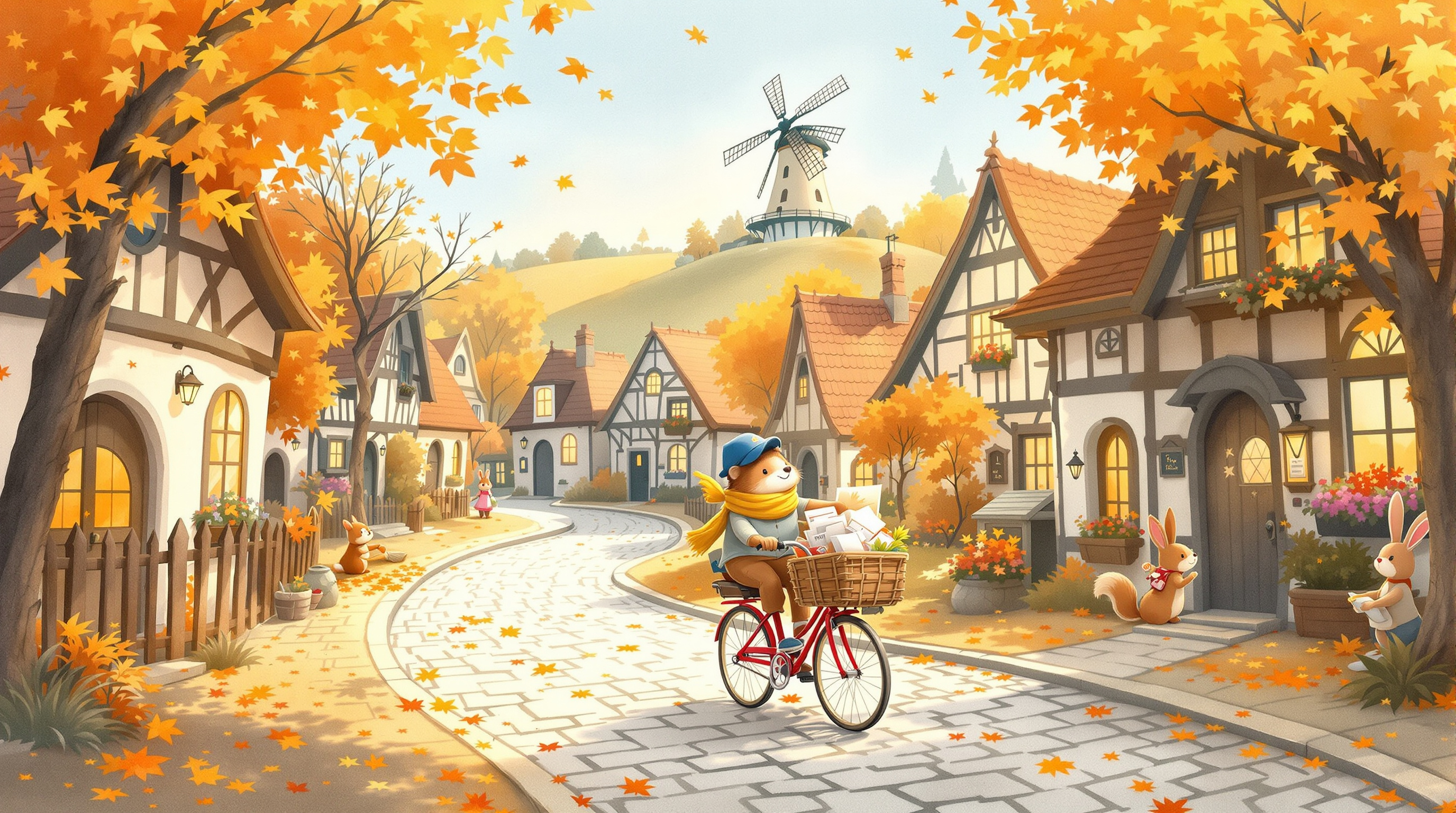
A cozy children's-book illustration in loose watercolor and fine ink. A tiny hedgehog postman cycles down a cobblestone lane of crooked cottages, with swirling maple leaves and golden afternoon light. Suitable for ages 3 to 7.
Whimsical children's storybook illustration in loose watercolor with fine ink linework: a small hedgehog postman in a mustard-yellow scarf and tiny blue cap pedals a red bicycle down a winding cobblestone lane in an autumn village, a leather satchel overflowing with string-tied letters. Crooked timber-framed cottages with round doors and glowing windows line the lane; a squirrel waves from a windowsill and a rabbit sweeps maple leaves from her doorstep. Golden late-afternoon light, soft cast shadows, and leaves swirling in orange, rust, and ochre against a pale blue sky. Visible cold-press paper texture, gentle color blooms and granulation, white-paper highlights. Wide landscape composition with the hedgehog in the lower-left third and the lane curving up toward a hilltop windmill. Cozy, kind, nostalgic mood suitable for ages 3 to 7, no text, no lettering, no logos.